Wagy, your assistant
What Wagy is, what it can do with your permissions, how to ask for things, undo, and apply batch changes.
Updated:
Wagy is Fiuit's assistant inside the panel. You ask for something in your own words and it builds a proposal; nothing changes until it is applied at your confirmation level.
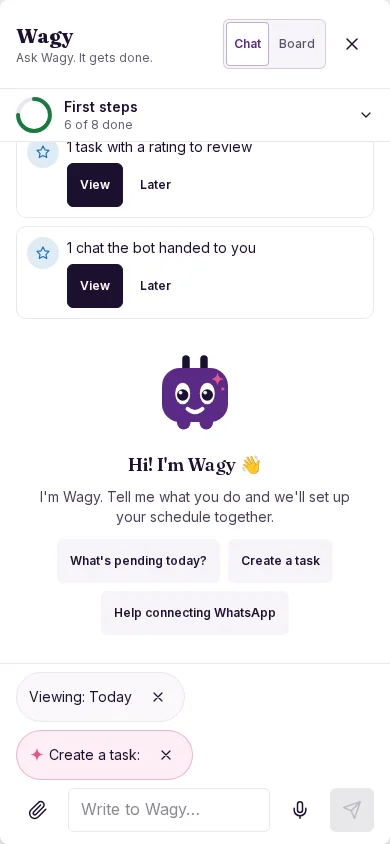
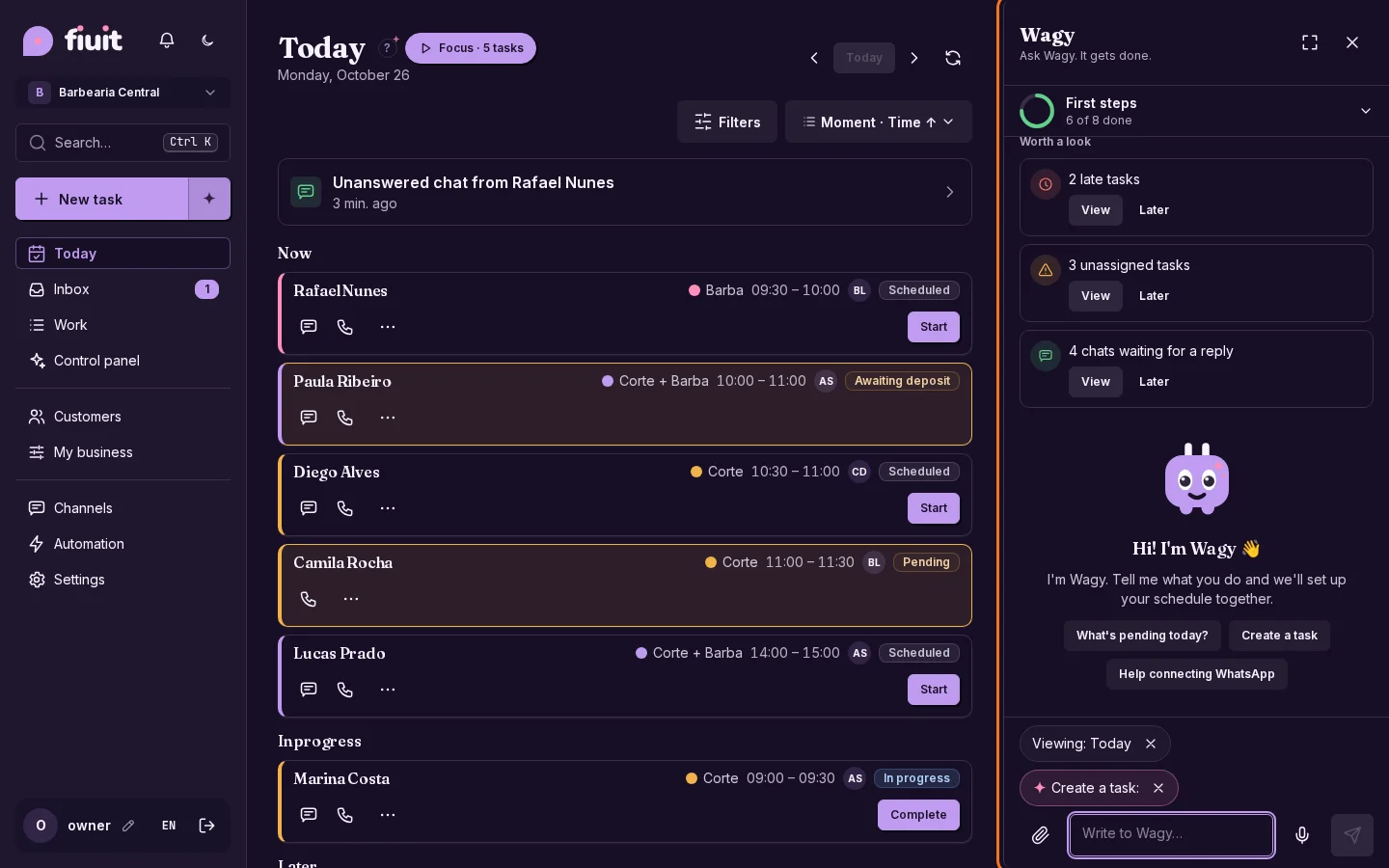
Where it appears
- The Wagy button, on any screen. On a phone it fills the screen, with Chat and Board tabs.
- ⤢ (desktop and tablet): the control screen, with today's orders, team, conversations, cash and «How are we doing?».
- The ✦ buttons in the «+ New…» menus and the «?» help on each screen.
- For Owners and Managers.
What it can do
Wagy uses the same tools as the API and the MCP, always with your role and permissions. If you can't do it in the panel, neither can Wagy.
- Ask: «how much did I collect this week?», «how much Intelligence do I have left?». Read-only questions are answered right away.
- Operate: schedule, reschedule or cancel tasks, edit customers, send messages, add products, build flows, change your website and the vocabulary.
- Read files: a photo or a PDF (up to 10 MB and 10 pages) and voice notes; Wagy reads it once, deletes it and shows you a proposal.
- Ask Fiuit support for help with the error already filled in.
How to ask for things
- Write what you need: «create a task for Ana on Friday at 10».
- Wagy shows the proposal with the concrete changes.
- You confirm, or the countdown applies it by itself if your level allows it.
If something is missing it asks with buttons (for example, the next free times). What a customer wrote is never an order: if Wagy read it, it always asks you to confirm.
Levels
In ⤢ → Wagy level:
| Level | What it does |
|---|---|
| Ask for everything | You confirm every change. |
| Accept internal | Does internal, undoable things by itself, with 10 s to stop it. Anything that reaches the customer or moves money, it asks first. |
| Autopilot | Does everything; what touches the customer or money waits 10 s so you can stop it. |
The Owner sets the project ceiling and nobody goes past it. In Does it by itself you choose which actions it can take without asking. Changes that require explicit confirmation and steps involving external systems always need confirmation, even in Autopilot.
Undo
When Wagy does something by itself you see «Doing it in 10 s» with Undo and Now. Later, in What Wagy did (or in the plan), tap Undo while it is still possible, even for a reschedule. If someone changed the data since then, Wagy asks you to review it first.
Batch actions
If you ask for several changes at once («move the 7 overdue ones to tomorrow»):
- You confirm just once.
- They are applied one at a time, each with its own countdown.
- Stop this one halts one; Pause all and Resume control the rest.
- Each change is undone separately.
- What doesn't fit (no free time, a conflict) is marked so you can choose, without stopping the rest.
Examples by role
| Role | Can ask | What it won't do |
|---|---|---|
| Owner | «Change my website's cover line», «build a delivery flow», «switch to Autopilot». | Anything outside your permissions, or go past the ceiling you set. |
| Manager | «Reschedule my overdue tasks», «message Lucía», «what's on today?». | Raise the level above the Owner's ceiling. |
| Team | Doesn't use Wagy: works with Focus and the Today screen. | — |
Wagy also doesn't make up data, doesn't act on its own on anything that reaches the customer without your confirmation or countdown, and doesn't send your customers' data to support.
More
- MCP and AI agents: the same tools from Claude or ChatGPT.
- Connect Fiuit to your AI.
- What if…? Services and tasks.