How it works in a barbershop · Barbershops and salons
How a barbershop uses Fiuit, from the first message to the customer who comes back.
Nine steps, in the order they happen at Barbearia do Tavo. For each one: what happens, who does it and where it lives in the panel.
Saturday · Barbearia do Tavo
- PedroHaircut and bearddeposit paid
- RafaelHaircut
- BrunoBeard
- MarinaHaircutevery 3 weeks
- ClaraCut and blow-dry
- Free—
- DiegoHaircut and beardAnyone
- JoãoHaircutdeposit paid
- MarcosFade
Every booking came from the chat, with the chosen barber or «Anyone».
Set up the barbershop
You add each barber, the chairs and the services with their duration. Each barber has their own days and hours.
- Barbers are added as people; chairs, as spaces. You choose what each type is called.
- A service can need the barber and a free chair at the same time.
- In a team, you choose how the person who serves is picked: the customer chooses, round robin, least busy, fixed or first to take it.
Haircut: 30 minutes. Haircut and beard: 45 minutes. Ana does not work on Mondays.
Where it lives in the panelMy business → Team and resourcesMy business → CatalogLearn more in the docs See it in the Calendar and team module
Also in the docs: Resource teamsSet up a service
My business · Barbearia do Tavo
3 barbers · 3 chairsTeam «Barbers»: the customer chooses, or round robin with «Anyone»
TTavoTue to Sat · 9 am–7 pm
AAnaTue to Sat · does not work Mondaysoff Mon
LLéoMon to Sat · 10 am–8 pm
✂Haircut · Haircut and beard · Beard30 · 45 · 20 minutes+ free chair
A time is only offered when the barber and a chair are both free.
The barbershop team and services The customer writes
On Instagram, WhatsApp, Telegram or the website chat (pilot), the bot answers right away and offers real times as buttons, with the barber the customer wants.
- The customer picks a barber or «Anyone»; then the booking goes to whoever is free, following the team rule.
- It never makes up times or prices: everything comes from each barber’s calendar and the catalog.
- It only books after the summary and a «Yes». When the conversation needs a person, someone on the team takes over in the same chat.
Diego writes at midnight on Instagram, picks «Anyone» and gets Léo tomorrow at 6:30 pm.
Where it lives in the panelCustomer care → ChannelsMy business → Team and resources → Teams → How to pick who servesLearn more in the docs See it in the Customer service module
Also in the docs: When a person steps in
BBarbearia do TavoInstagram · bot
- Hi! Any openings for a cut and beard tomorrow?
- Sure! Who do you prefer?TavoAnaAnyone
- Anyone
- Tomorrow at 18:30 with Léo. The deposit is R$ 20 by link. Shall I confirm?YesAnother time
- Yes
On the schedule
↻AnyoneLéo · next in linerotation
$DepositR$ 20 · Mercado Pago linkwaiting
✓BookingTomorrow 18:30 · Diego · Cut and beard
Booking on Instagram with «Anyone» Each barber’s calendar
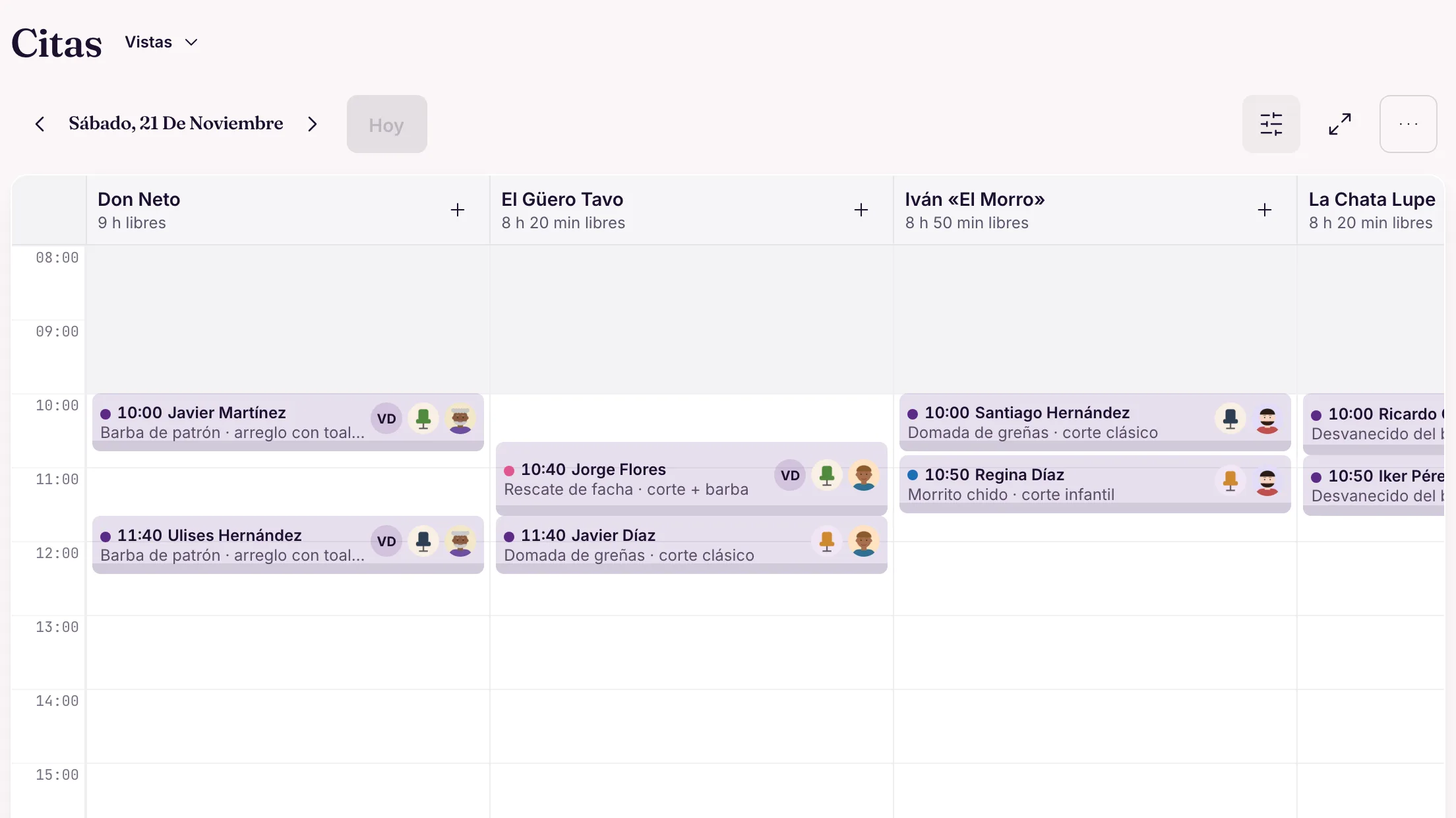
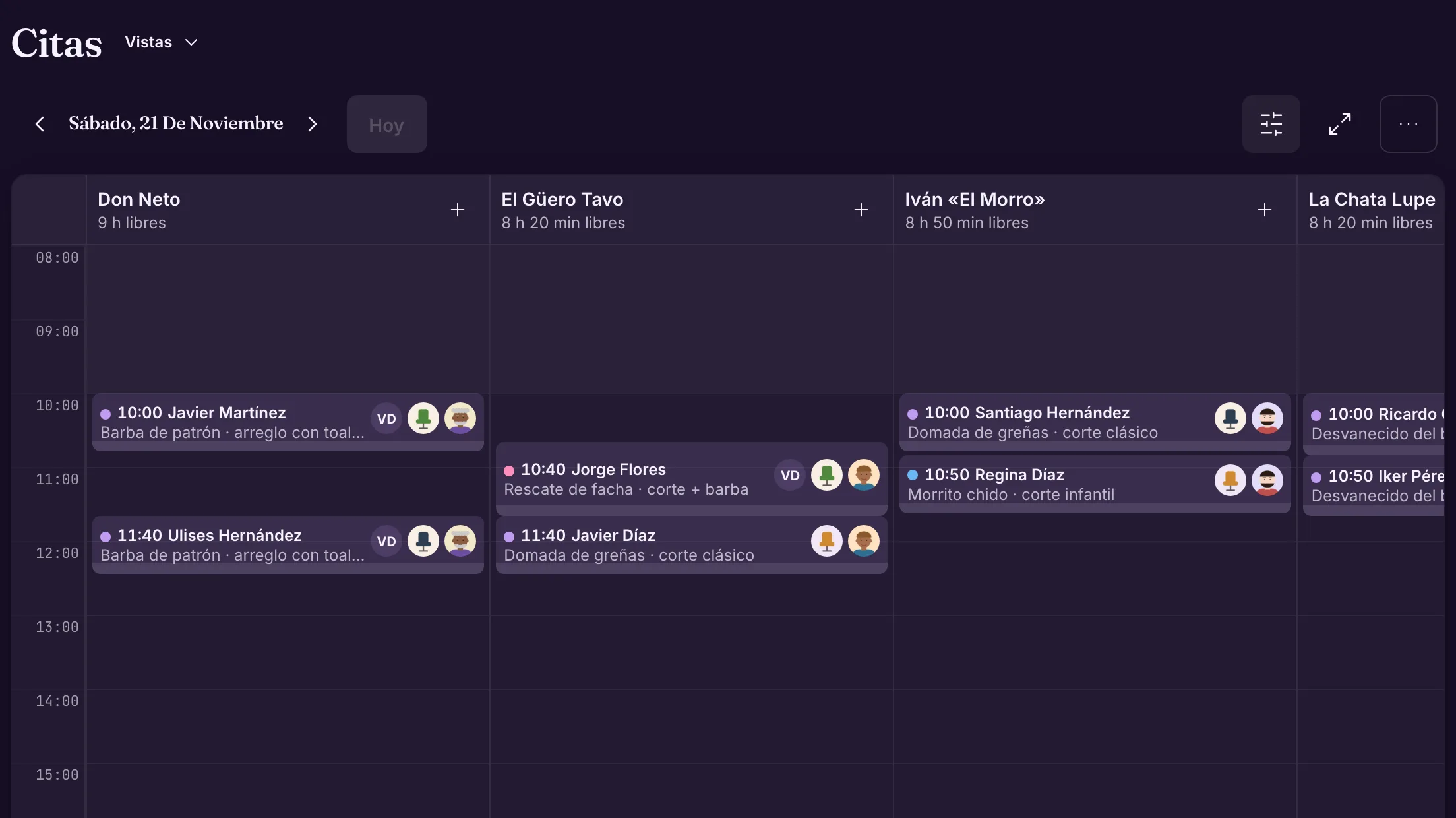
In the calendar by person, each barber is a column: who is free, who is full and what comes next.
- A barber who is off or has blocked time never gets bookings.
- Reminder before the appointment, off until you turn it on. Anyone who cannot come reschedules or cancels in the same chat, with a «Yes».
- Silence never cancels an appointment on its own.
A full Saturday: Tavo until 2 pm, Ana with two free slots in the afternoon and Léo with Marina’s return visit at 10.
Where it lives in the panelWork → CalendarCustomer care → Automatic messagesLearn more in the docs See it in the Views and organization module
Also in the docs: RemindersReschedule and cancel in the chatBlocking time
Real panel · demo dataSaturday by barber A deposit holds the slot
Each service says whether it charges at booking: nothing, a deposit or the full amount. When it does, the bot sends the Mercado Pago link in the chat.
- The link the bot sends in the chat is valid for 24 hours; in Brazil, with Pix inside.
- The booking is confirmed with the payment, and the payment shows up in Finance.
- With the deposit pending, the customer has to pay it before rescheduling.
- Without Mercado Pago, the bot sends the «Payment details» you entered, and you check.
Saturday haircut and beard with a R$ 20 deposit; a plain Tuesday haircut with none.
Where it lives in the panelMy business → Catalog → service → Edit service → Advanced options → Charge when bookingFinance → ChargesMercado Pago: accounts in Brazil and Argentina.
Learn more in the docs See it in the Services and stages module
Also in the docs: Charge with linkPayment details without Mercado Pago
BBarbearia do Tavochat with Diego
- Deal, tomorrow 6:30 pm with Léo.
- To hold the slot, the deposit is R$ 20. Pay with this link (Pix or card), valid for 24 h.Pay R$ 20✓ Link sent
- Paid with Pix.
- Got it, Diego! Tomorrow 6:30 pm with Léo is confirmed.✓ Deposit R$ 20 · Pix
- See you tomorrow!✓ Diego · tomorrow 6:30 pm · Léo
At the barbershop
- Answered1Link sent
- Calendar1Diego · tomorrow 6:30 pm · Léo
- Payments1Deposit R$ 20 · Pix
- Today · team
- For you
The deposit in the chat lights up Payments and Calendar In the chair
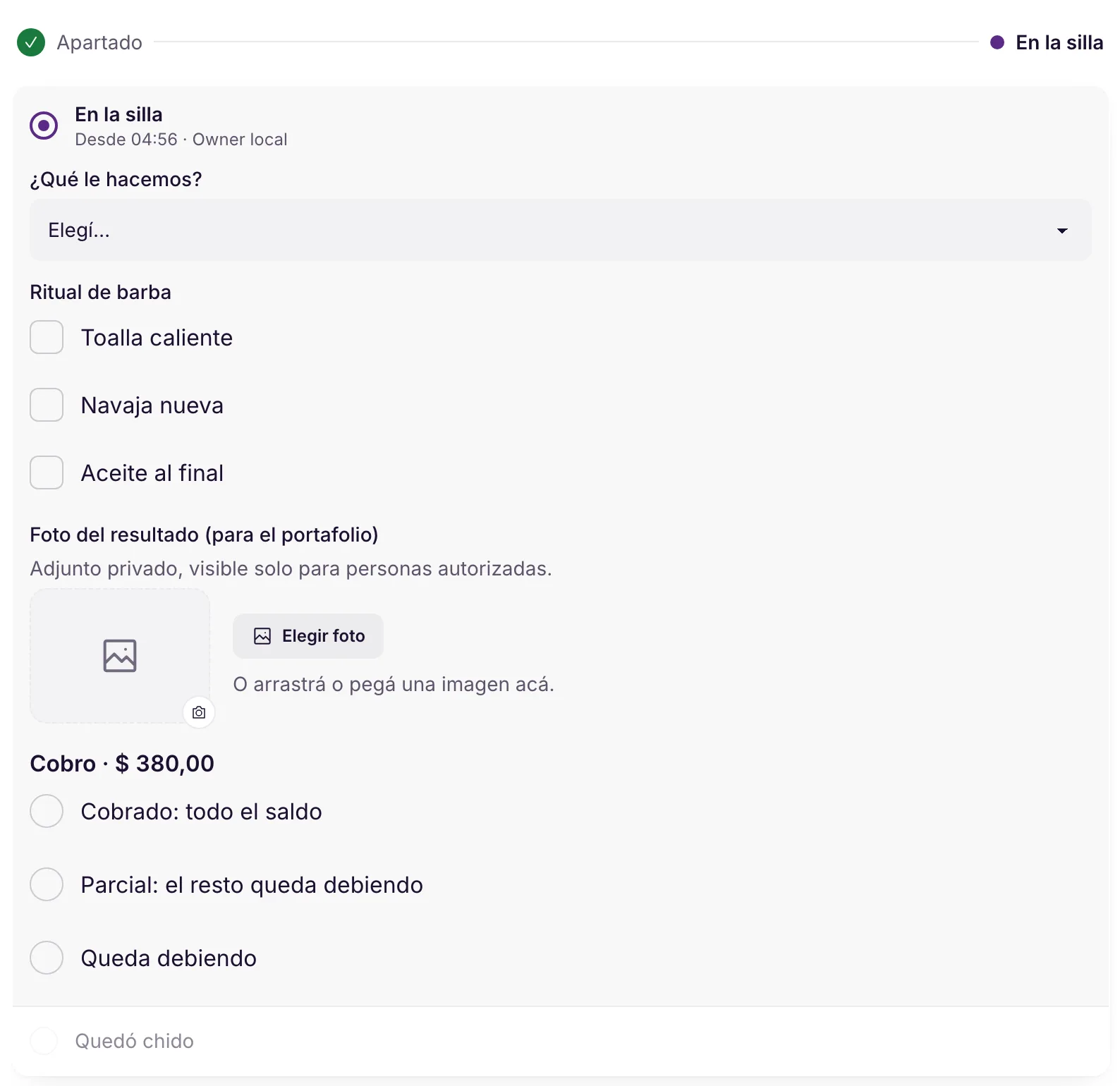
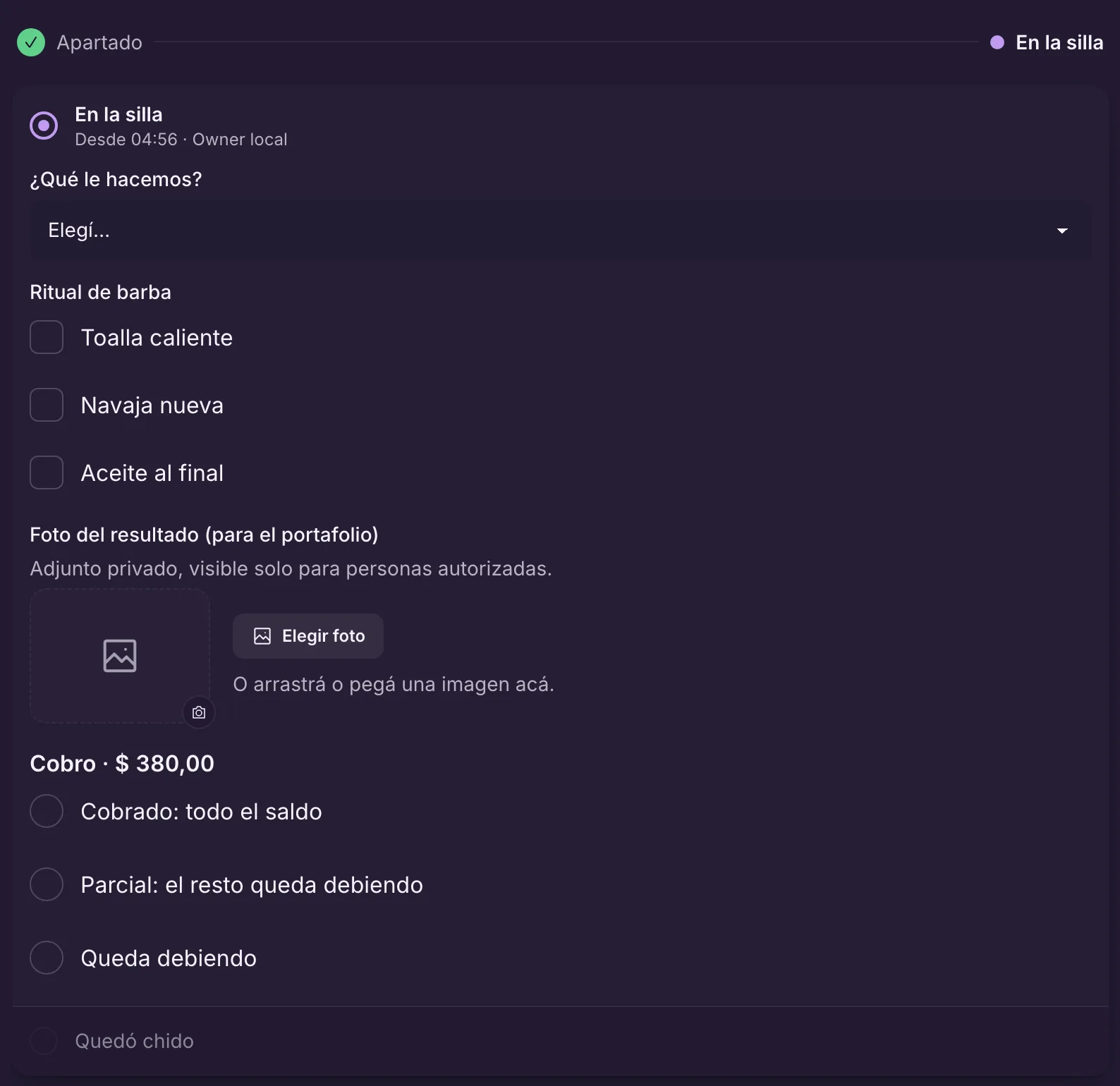
The appointment has its stages. In the «In the chair» stage, the barber ticks the ritual, takes the photo of the result and records the payment.
- The photo is saved as a private attachment of the appointment: only authorized staff see it, and the next barber knows how to repeat the cut.
- The checklist and required fields lock the stage until they are filled in.
- For the payment: the whole balance, part of it, or it stays owed.
When he finishes, Léo takes the photo of the fade, ticks «Hot towel» and «Paid: whole balance».
Where it lives in the panelWork → the appointment → Next stepMy business → StagesLearn more in the docs See it in the Services and stages module
Also in the docs: Next stepCharge a part
Real panel · demo dataThe «In the chair» stage After: the customer comes back
From the visits, Fiuit learns how often each customer comes back, the day and the barber they prefer.
- With 3 or more visits it works out the rhythm; «Shall we book the next one?» goes out when it is time. Off until you turn it on.
- Customers past their own rhythm show up as late, at risk or lost. The win-back message is also off until you turn it on.
- The customer answers in the same chat and the bot offers times with their usual barber.
Marina gets a haircut with Ana every 3 weeks: at the right time she gets the invitation and books Thursday at 10.
Where it lives in the panelCustomer care → Automatic messages → Recommended for your businessCustomers → profile → HabitsLearn more in the docs See it in the Wagy and automations module
Also in the docs: Win back customers who stop coming
MMarina LopesBarbearia do Tavo
↻RhythmEvery ~3 weeks · Thursdays 10 am–12 pm · Cut with Anadue
MMarina LopesWhatsApp
- Hi, Marina! The date of your next visit is coming up. Shall we book it? Reply to this message and we'll help.automatic
- Yes! Thursday morning, with Ana.
- Done: Thursday at 10 am with Ana. See you then!bot
Every 3 weeks: the invitation Customers by their own rhythm
●On time41
●Due9
●Overdue6
●At risk4
●Lost3
!LostPedro · used to come every month, gone for 3
PPedro AlvesWhatsApp
- Book herefiuit.app/tavoHi, Pedro! It's been a while since we've seen you at Barbearia do Tavo. Want to book?automatic
- True! Is there a slot on Saturday?
- Yes: Saturday at 11 am. Shall I book it for you?bot
Who stopped coming, by status Sell pomade and products
Catalog products sell in the chat and at the counter, with the stock of each one.
- In the chat, the bot shows the product with a photo on official WhatsApp (pilot) and Telegram; on Instagram, one image per option.
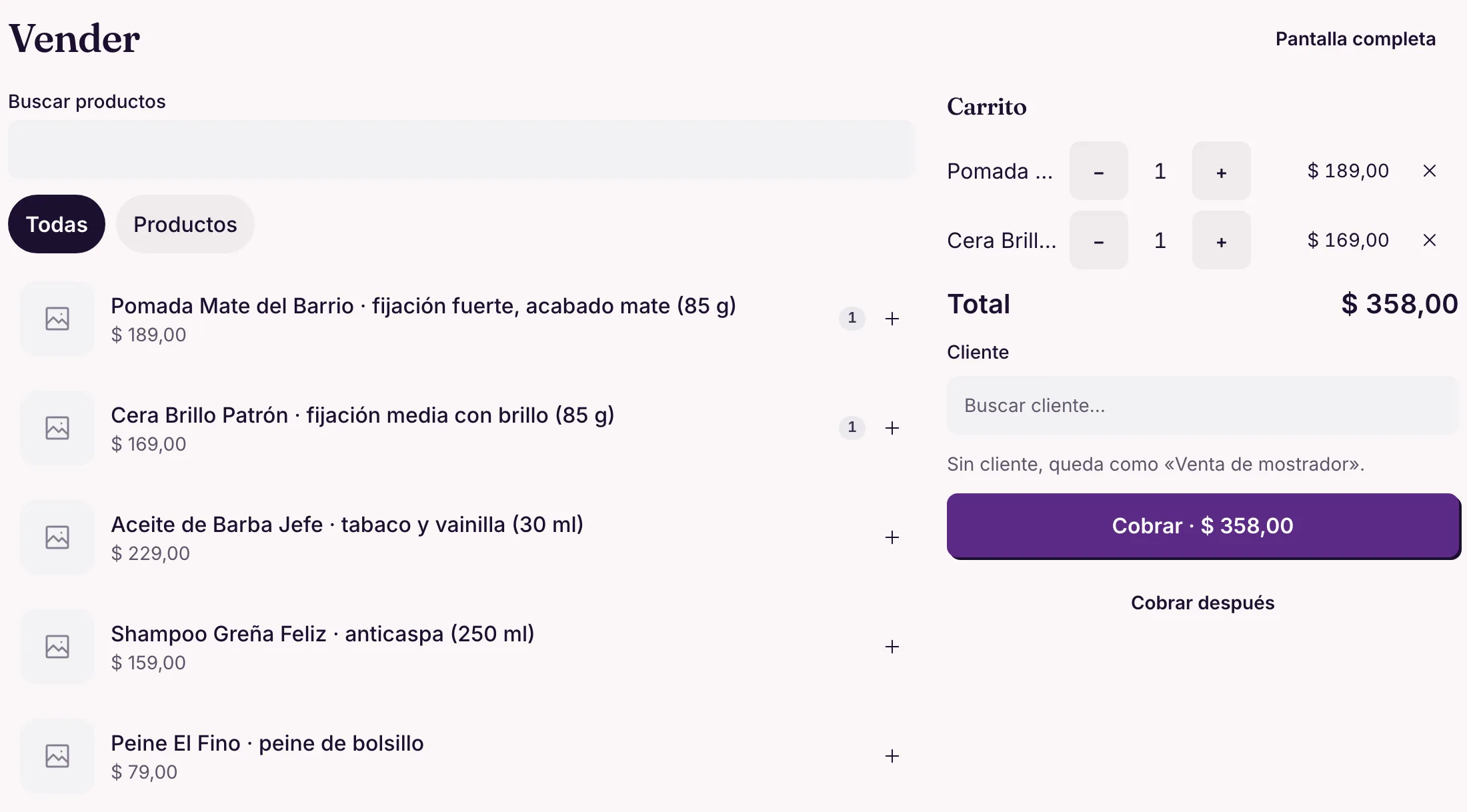
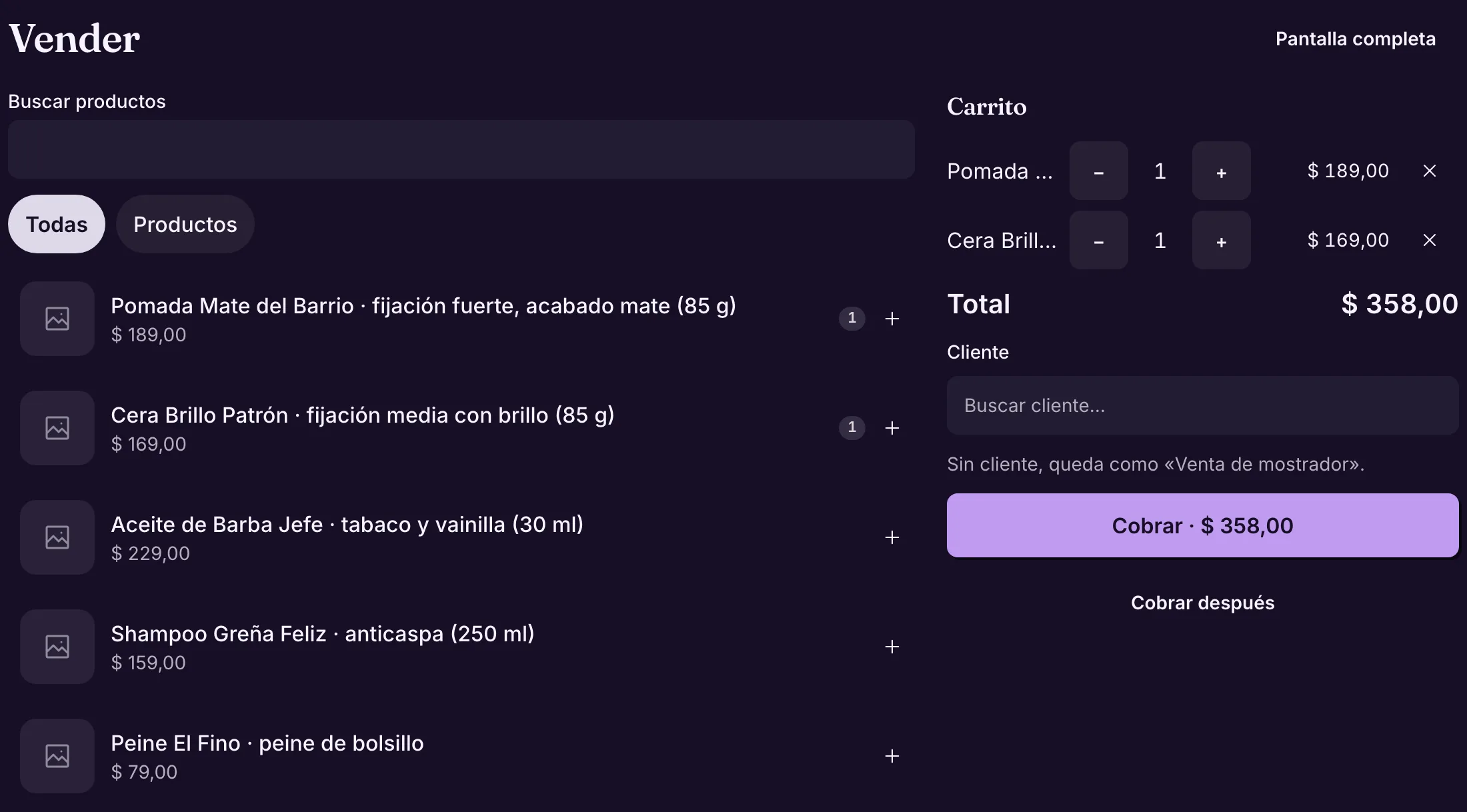
- At the counter, the «Sell» screen (owner and manager) takes cash, Pix, QR or Point, or leaves it for «Charge later».
- Each sale lowers the stock, and an out-of-stock product never goes into the cart.
Diego asks about the matte pomade in the chat and takes it with his haircut; at the counter, Tavo sells beard oil to a walk-in.
Where it lives in the panelSellMy business → Catalog → ProductsLearn more in the docs See it in the Sales and products module
Also in the docs: Sell at the counter
BBarbearia do TavoWhatsApp · bot
- Do you have that matte pomade?
- We do! Matte pomade 85 g · R$ 49AddSee more
- Add
- Matte pomade · R$ 49. Shall I put it aside for Saturday, at your haircut?YesNo
- Yes
Stock
PMatte pomade 85 g6 → 5 unitslowered
CShine wax0 units · not shown in the chatout of stock
The pomade in the chat Real panel · demo dataThe Sell screen at the counter Commissions
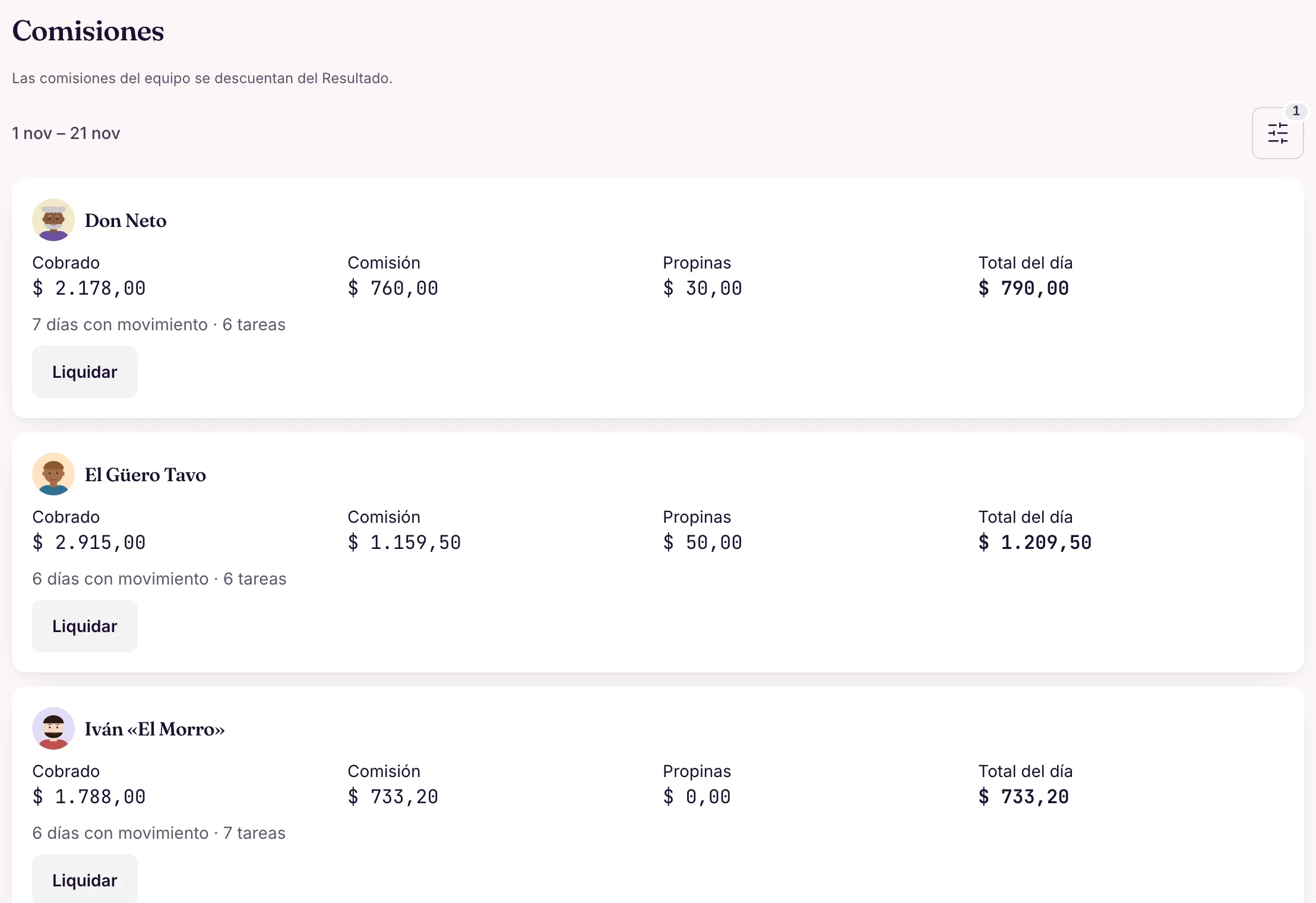
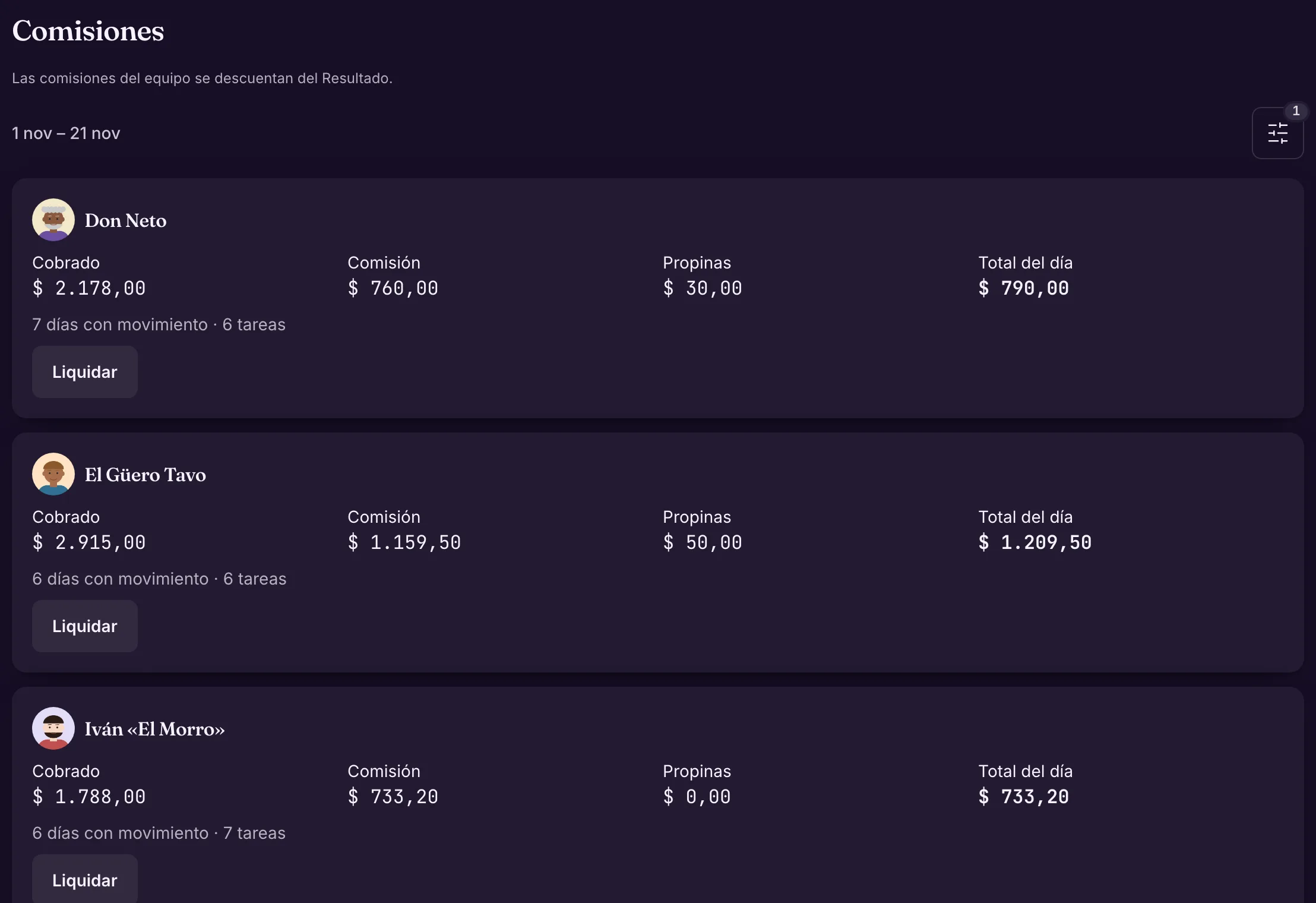
Each barber has their own commission rule. Fiuit works out what each one earned in the period and you settle when you pay.
- Rules per person or per service.
- Each person sees their own day: collected, commission and tips.
- The month’s income statement deducts the commissions.
Léo keeps 50 % of haircuts; at the end of the month, «Settle» closes his period.
Where it lives in the panelFinance → Reports → Team commissionsLearn more in the docs See it in the Finance module
Also in the docs: Settling a period
Real panel · demo dataCommissions by barber Adjust by chatting
When something changes, you ask Wagy in your own words. It shows the proposal with the changes and only applies it when you confirm.
- It works for hours, services, prices and notices: the same tools as the panel, with your permissions.
- You can undo within 24 h.
«Ana is off next Saturday» becomes a block in her calendar, confirmed with one tap.
Where it lives in the panelThe Wagy button, on any screen of the panelLearn more in the docs See it in the Wagy and automations module
WWagyin the panel
- Ana is off next Saturday.
- Proposal: • Block Ana’s calendar on Saturday 11/29, all day • The bot offers no times with her that day Apply?ConfirmChange
- Confirm
- Done. You can undo within 24 h.Wagy
Asking Wagy for a day off
Frequently asked questions
Does it work for salons too?
Yes. Set up cut, blow-dry or coloring with the duration, the professionals and the spaces. Each person sees their own schedule.
Can the client choose the barber?
Yes. They pick a professional or «Anyone»; in that case, the booking goes to whoever is free, in rotation.
Can I sell pomade and products through the chat?
Yes. The catalog products are also sold through the chat, with each one's stock.
Do I have to change how I serve my clients?
No. They stay on WhatsApp or Instagram. You take over the conversation whenever you want, and the bot comes back afterward.
Is your business different? Talk to us and we'll see how we can help.Talk to us
Start with the first step.
Barbers, chairs and services: the rest of the journey follows from there.
Request access