Product

Calendar and team

Every person, room, bay or court with its own hours and workload, blocks that show what needs rescheduling, and the team getting their next task where they already are.

Who and what does the work

People, spaces, equipment and vehicles are resources: each with its own hours, photo and workload.

People, rooms, bays and courts

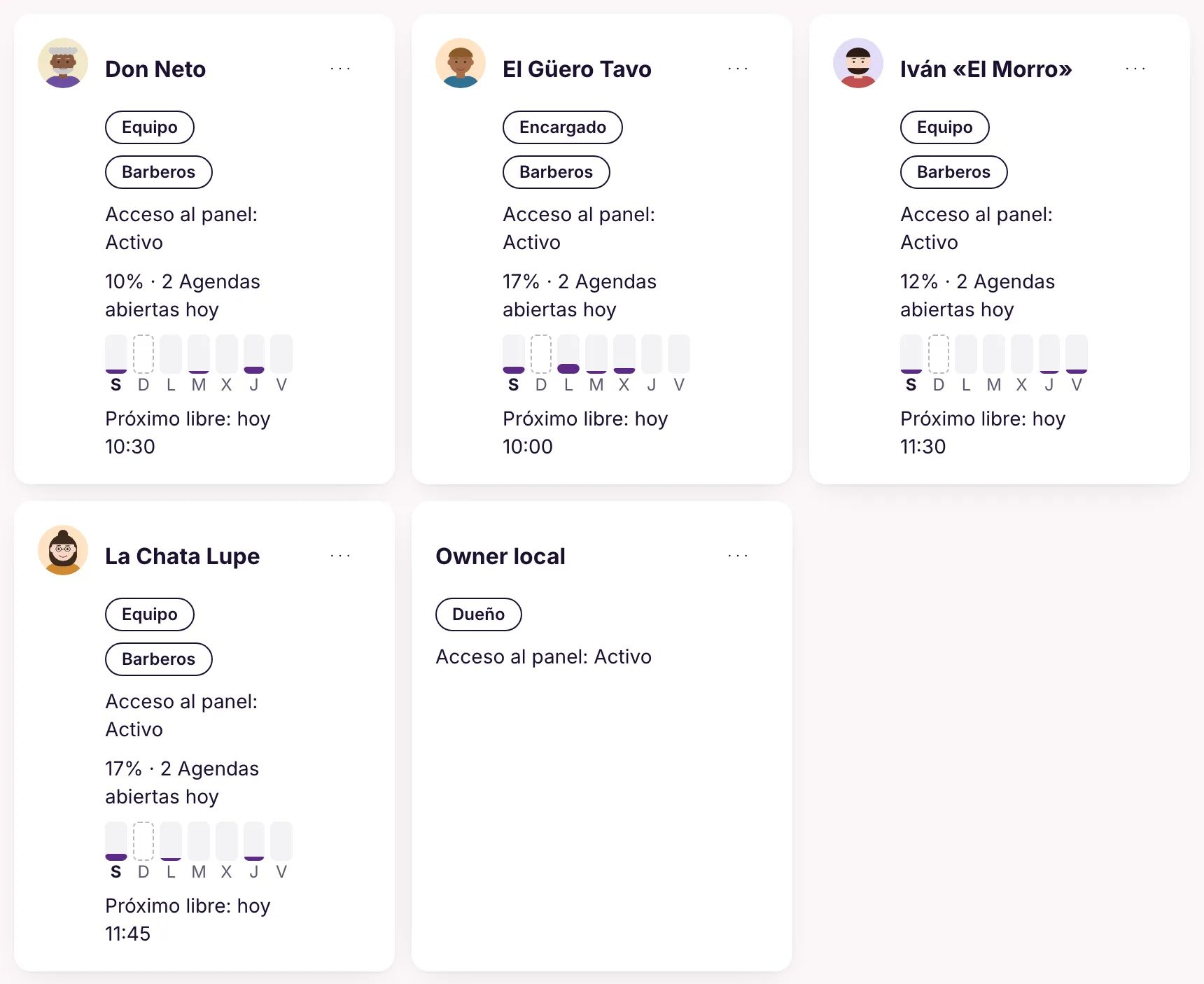
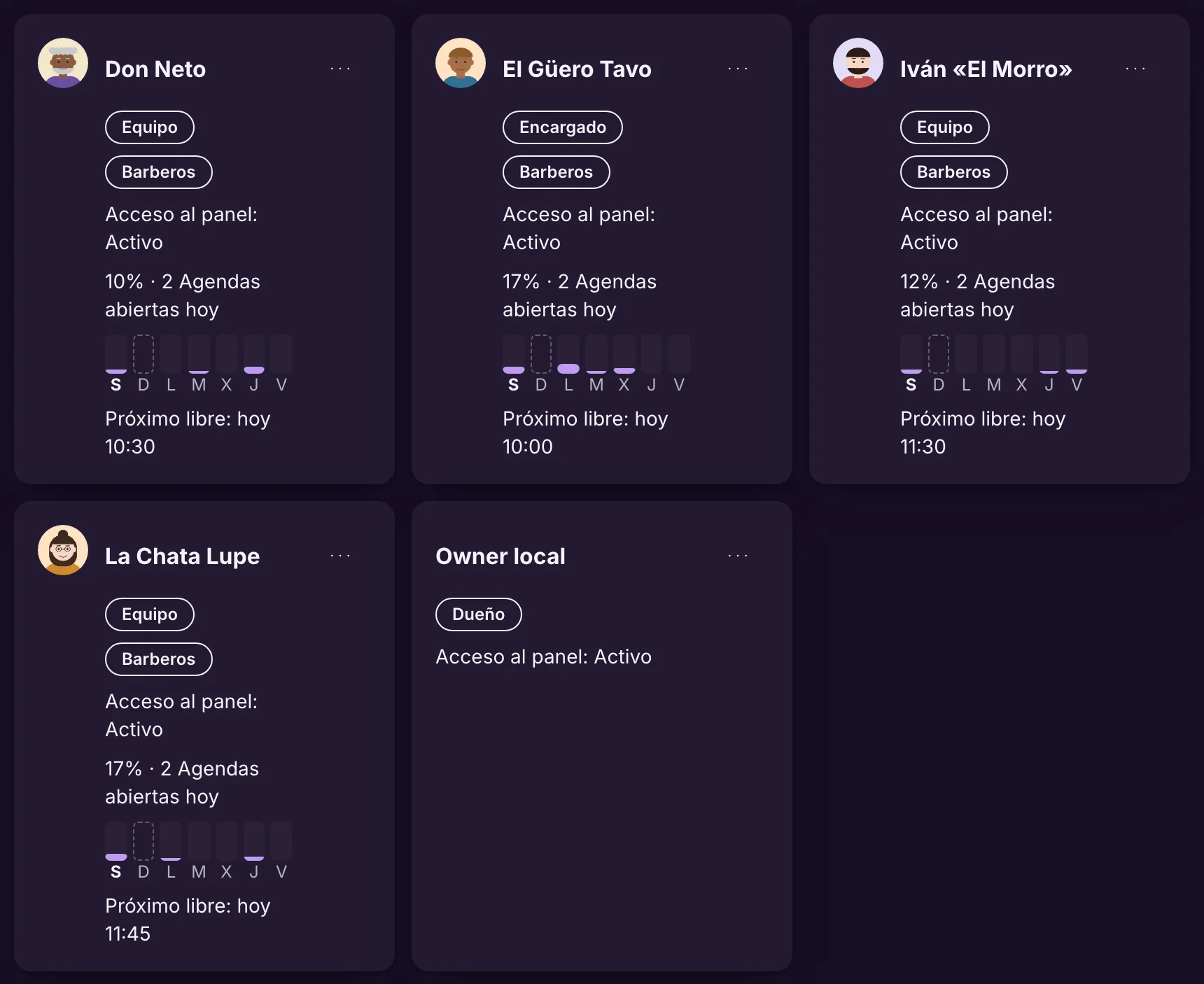
Every professional, room, bay, court, table, vehicle or piece of equipment is a resource, with a photo or icon, a color and its own hours. Each person's card shows their role, today's occupancy, the week in bars and the next free slot.

You see at a glance who is fully booked and who has room, before booking or squeezing someone in.

Example At Arena Vila, courts are resources just like the coaches: each with its own hours and its own color in the calendar.

More in the docs →
Who takes each request

Group resources into teams and choose how work is shared: the customer chooses, round robin, least busy, fixed or whoever claims it. The team serves one at a time or several at once, up to the limit you set.

Work is shared the way your business does it, without anyone assigning it by hand.

Example At Barbearia do Tavo, the customer picks the barber; at Rota Expressa, deliveries go to whoever claims them first.

More in the docs →

Each person's workload

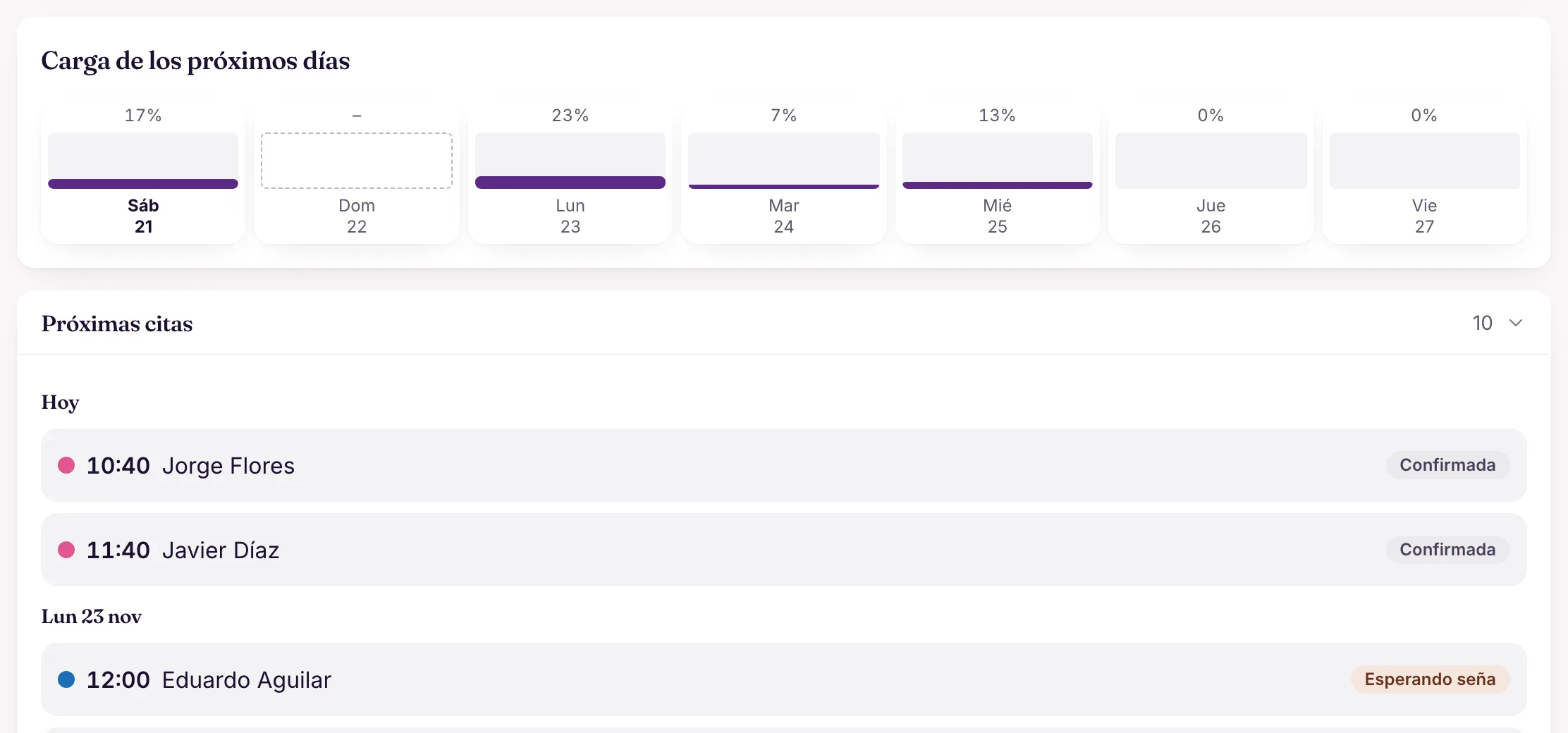
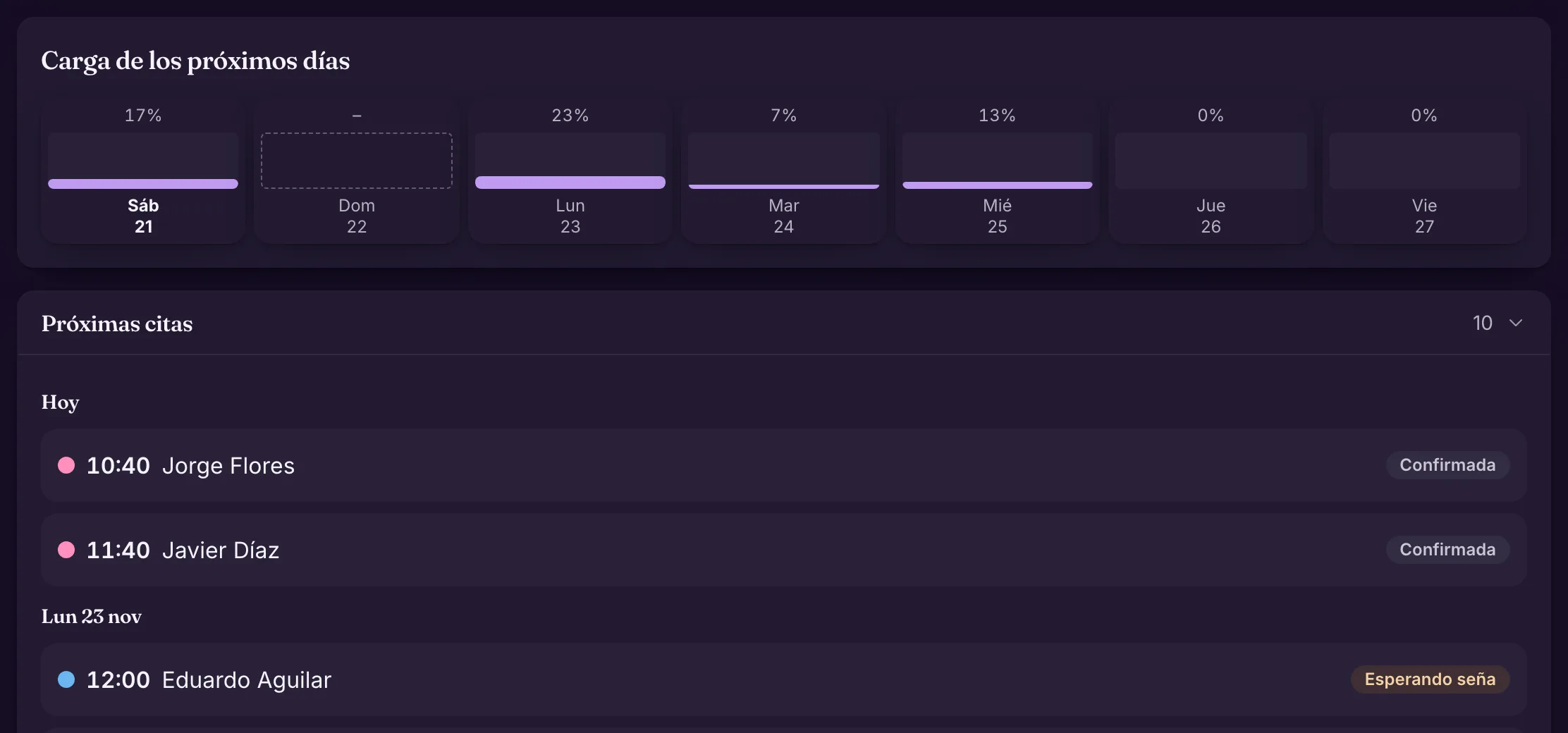
On each person's page, the workload for each of the next seven days and the upcoming bookings, each with its status. Further up, today's and this week's occupancy.

Balance the week before anyone is overloaded, and know who you can count on tomorrow.

Example Before promising a long appointment on Monday, the barbershop opens each barber's page and sees who has the quietest Monday.

More in the docs →

A calendar that looks after itself

Standing bookings that repeat, blocks that flag what was already booked and customers who confirm before they come.

Standing bookings

A booking that repeats: choose the days and how often (every week or every 2, 3 or 4), until a date or a number of times. Before creating it you see the coming weeks with any clashes and can skip dates; afterwards you change or cancel just one, this one onwards or the whole series.

Regulars do not have to book every week, and their slot never disappears.

Example At Arena Vila, Rafael plays every Tuesday at 20:00 on Court 1: one series, with the next dates already in the calendar.

More in the docs →
Hours and blocks

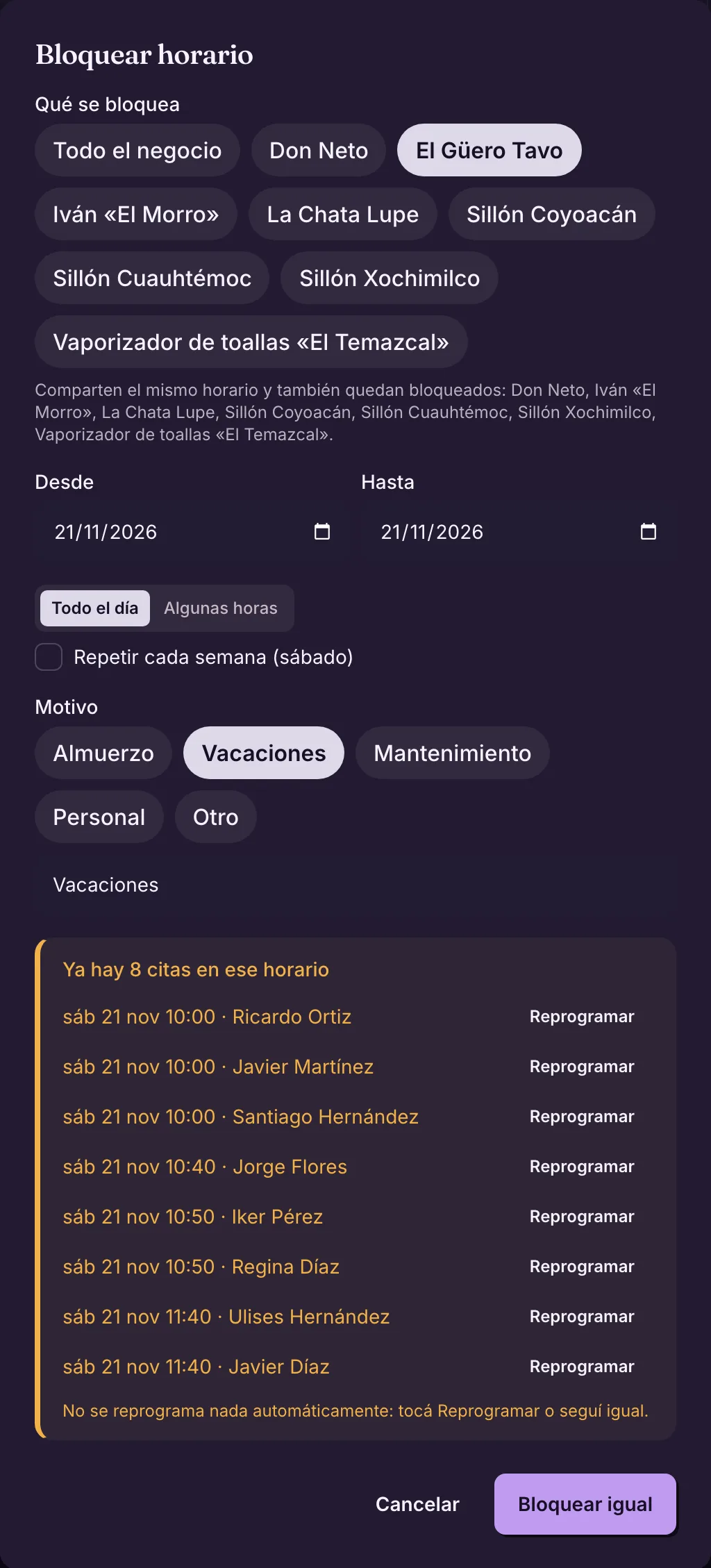
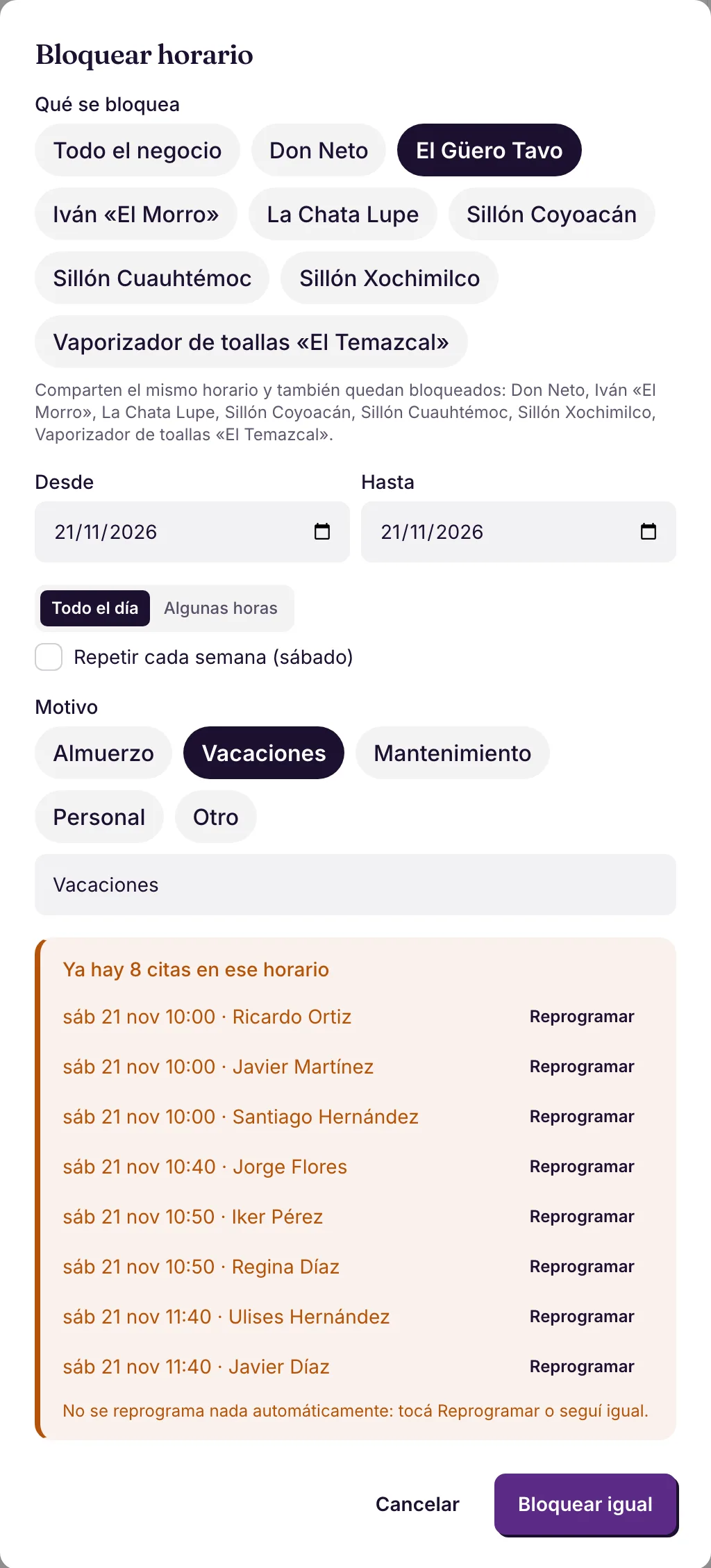
Weekly hours with several ranges per day (lunch is a break) and blocks for a whole day or a few hours, for one or several resources, over several days or every week: lunch, vacation, maintenance. Bookings already in that time show up instantly, each with "Reschedule".

The calendar stops offering that time, and nothing is rescheduled on its own: you decide who to talk to.

Example A barber goes on vacation: the calendar stops offering their slots and lists the bookings already made, to reschedule.

More in the docs →

Reminders and reconfirmation

Reminders before the appointment, as far ahead as you choose, and the reconfirmation request: the customer replies YES or NO. If they do not reply, whoever you choose on the team is alerted. Nothing goes out between 9 p.m. and 8 a.m.: the message waits.

Fewer no-shows, without cancelling anyone by mistake: the slot is kept until the customer talks to the team.

Example At Clínica Bem Viver, the patient gets the reminder the day before and confirms with YES; whoever does not reply shows up for the front desk to call.

More in the docs →

The team in sync

Each person sees what they need to see, and gets their next task where they already are.

Everyone sees what they need

Owner, Manager, Staff and Viewer. Staff see only their own work and conversations; Managers run day-to-day operations; administration (API keys, connected apps, stage flows) stays with the Owner. Invite by WhatsApp, email or Telegram.

The team works with what they need, and money and settings stay with whoever decides.

Example At Barbearia do Tavo, each barber sees their own calendar and conversations; Tavo sees the whole business.

More in the docs →

The team on Telegram

A Fiuit bot for the team: /next shows the next task with the customer, address and the stage buttons, /free lists what nobody has claimed, /today shows the day and /expense records an expense. Live location goes through the stage that asks for it.

Whoever is on the road or in the bay gets and moves work forward without opening the dashboard.

Example At Rota Expressa, the rider taps /next, sees the address with Google Maps and Waze, and taps "On the way" when leaving.

More in the docs →