Product

Finance

Charge by link, QR or Point into your business's own account, and see what came in, what went out and what was left, with expenses, commissions and the accountant package, no spreadsheet.

Get paid without chasing

Link, QR, Point or card with your business's Mercado Pago account, and the charge marked paid when Mercado Pago confirms it.

Link, QR, Point or card

From the task or the conversation: "Charge with link" (Pix and card in Brazil, valid for 48 h), an on-screen QR, Point or card. You can also charge just a part. Every charge shows up in "Latest payments", and a refund goes out from the charge itself. It works with your business's Mercado Pago account, in Brazil and Argentina.

Money lands in your account and the task is marked paid on its own, with no receipts to check.

Example At Auto Box 12, the approved quote becomes a link on WhatsApp; when the customer pays, the order shows as paid.

More in the docs →

Point at the counter

Link a Point terminal in Finance → Payments and tap "Charge with Point": the amount goes to the terminal and the customer pays by card, QR or Pix. If nobody pays within 15 minutes, the charge expires.

No more typing the amount into the terminal and getting a zero wrong.

Example At Ateliê Flor de Sal, the counter sale sends $129 to the Point and the customer taps her card.

More in the docs →

Your business numbers, no spreadsheet

The month so far, the result line by line, cash and who owes you, with the same numbers on every screen.

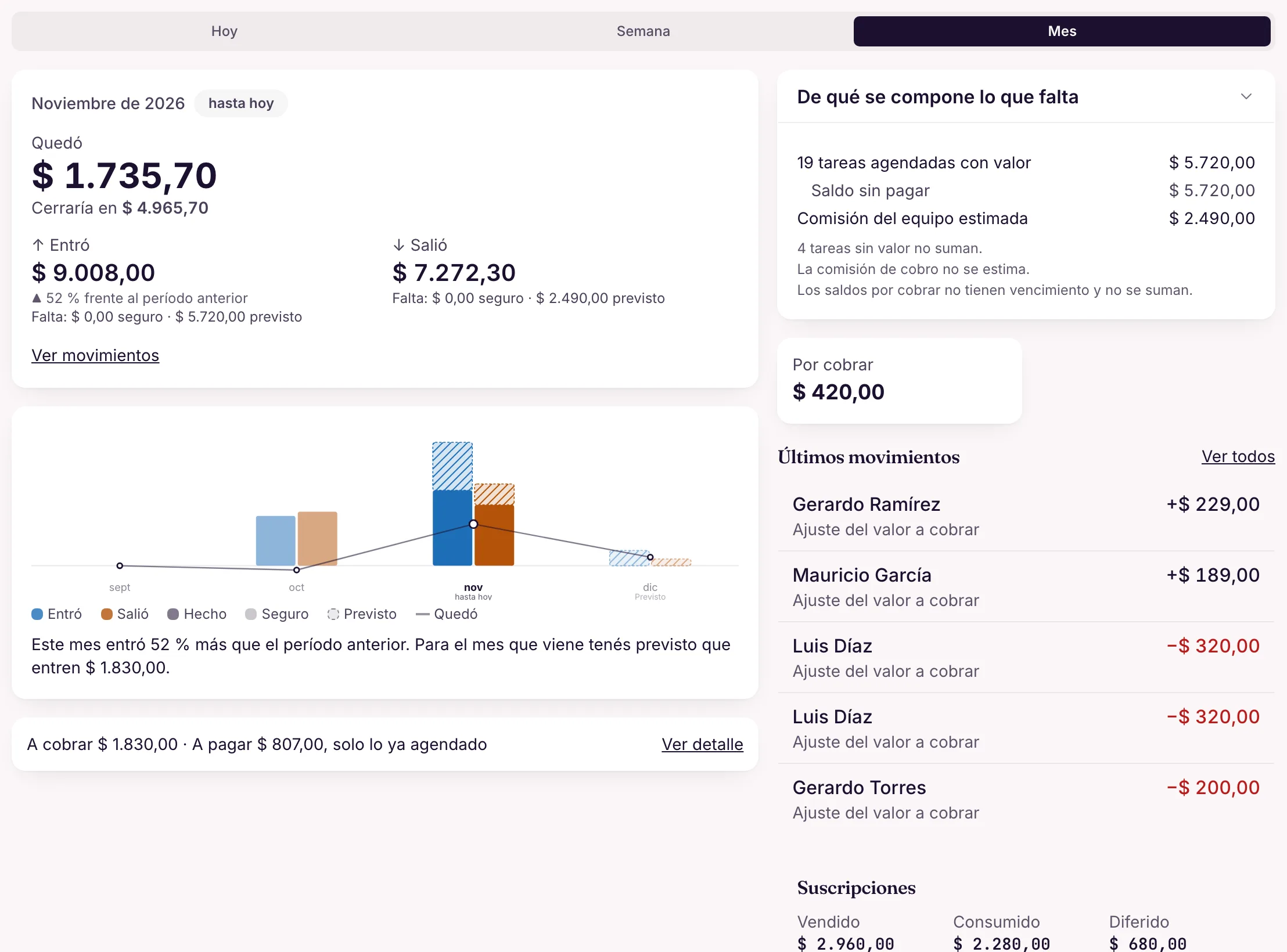
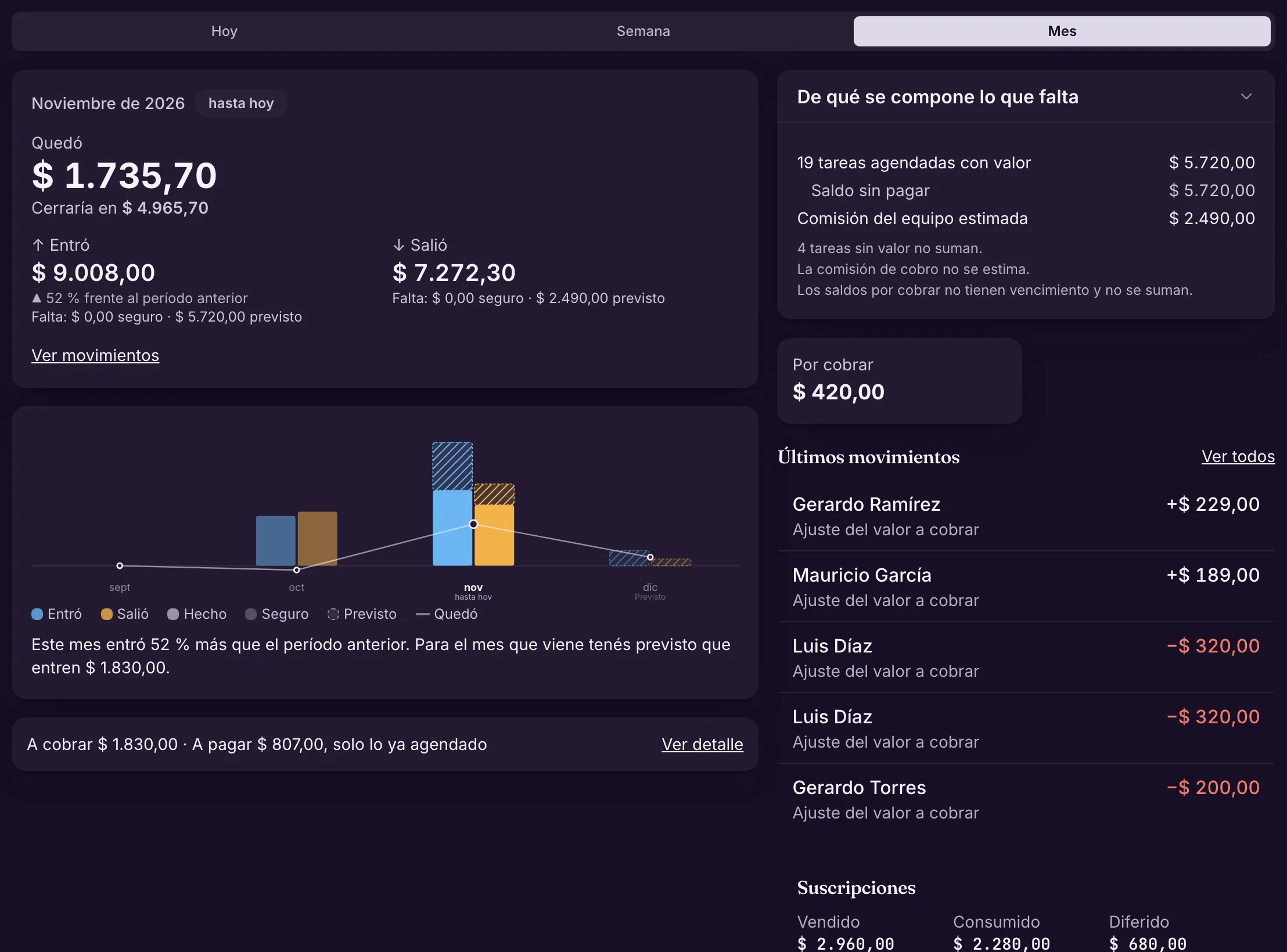
The month so far, at a glance

At the top, what was left, what came in and what went out for the day, week or month. The chart shows the previous months, the current one and the next, with what is done, what is certain and what is forecast (balances to collect and estimated commissions).

You know how the month is going without waiting for the close, and the forecast never invents sales: it only adds up what has a date.

Example Halfway through the month, the owner sees more came in than last month and how much is still to collect from what is already booked.

More in the docs →

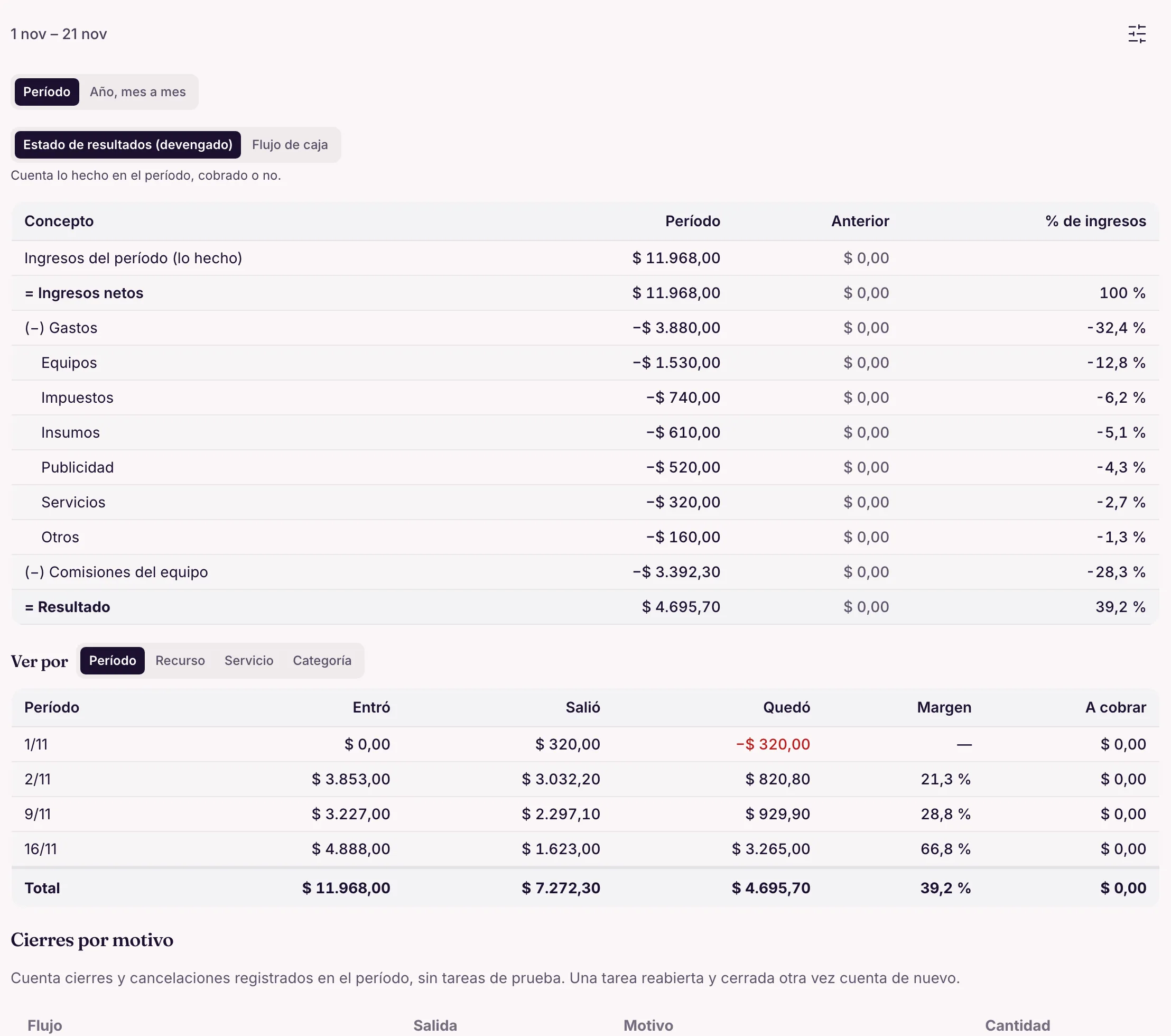
The result, line by line

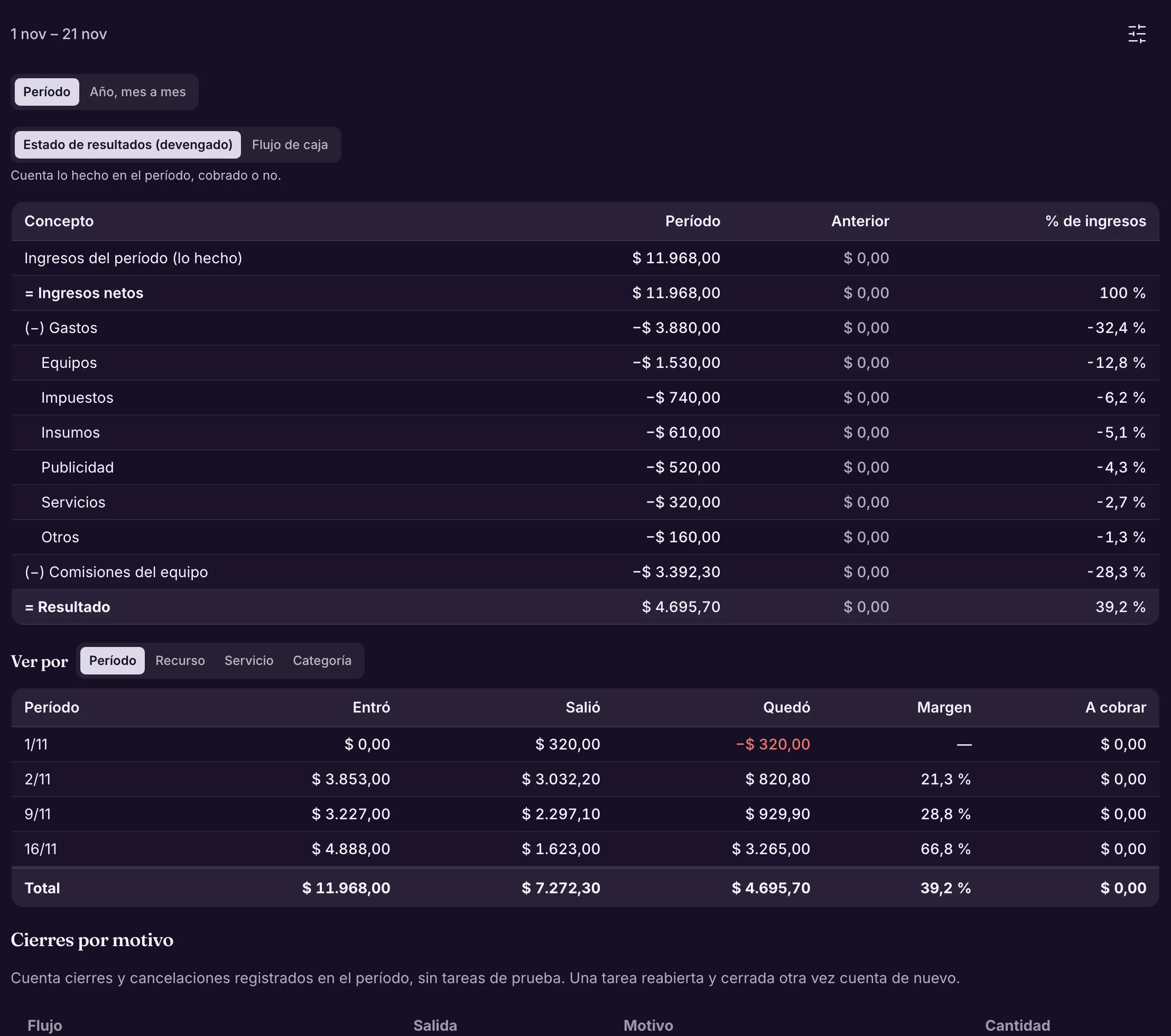
The income statement for the period: revenue, expenses by category, team commissions and the result, with the previous period and the % of revenue. On an accrual or cash basis, and by resource, service or category. Tap a number to see what makes it up.

You see where the money goes, and what is left after paying the team.

Example The barbershop sees how much rent takes and what remains after the barbers' commissions.

More in the docs →

Cash flow

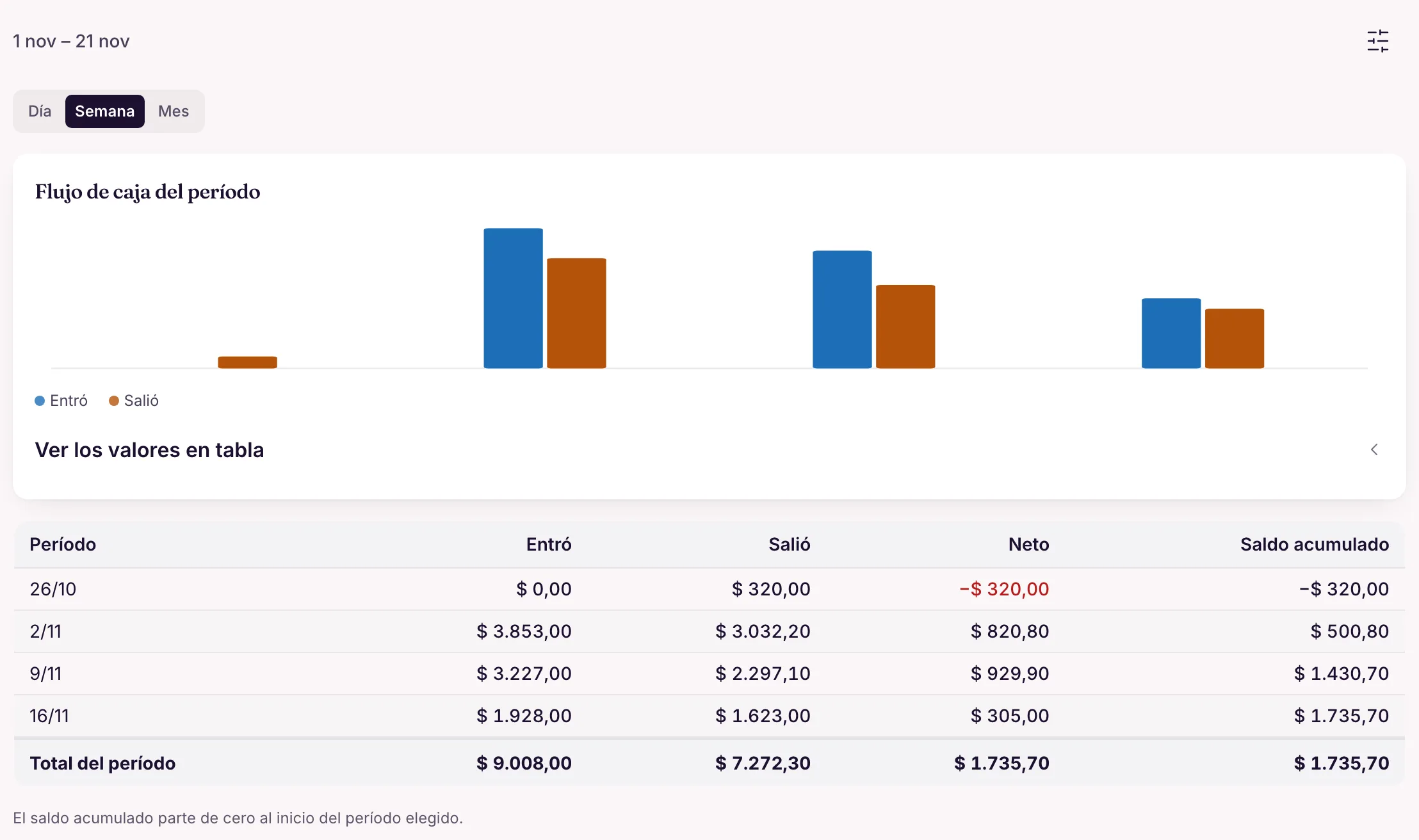
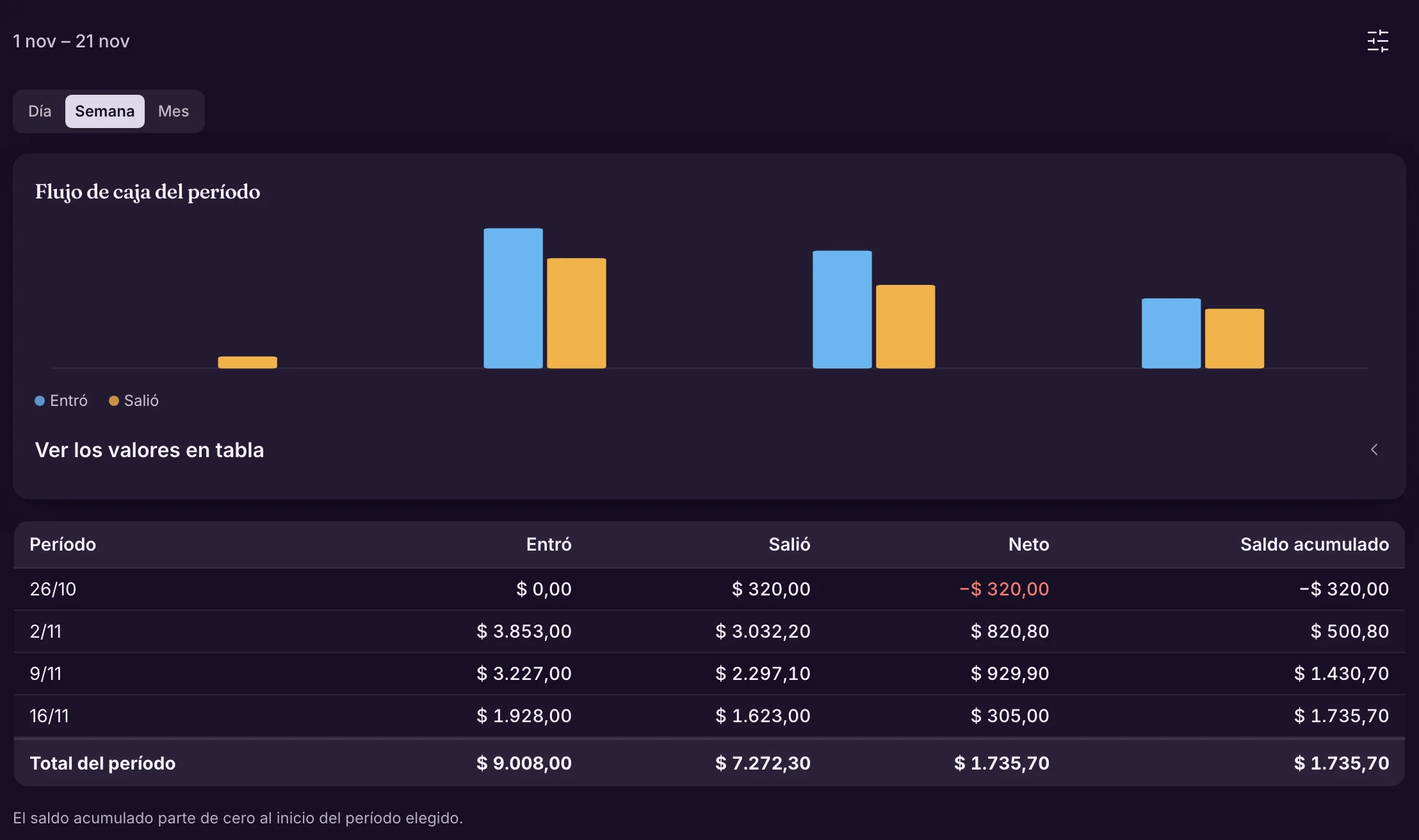
Money in and out by day, week or month, with the net and the running balance for the period, as a chart and a table.

You see which week money gets tight, before you get there.

Example One week of the month closes in the red; in the following weeks the balance climbs again, and each figure opens what makes it up.

More in the docs →

Who owes, and since when

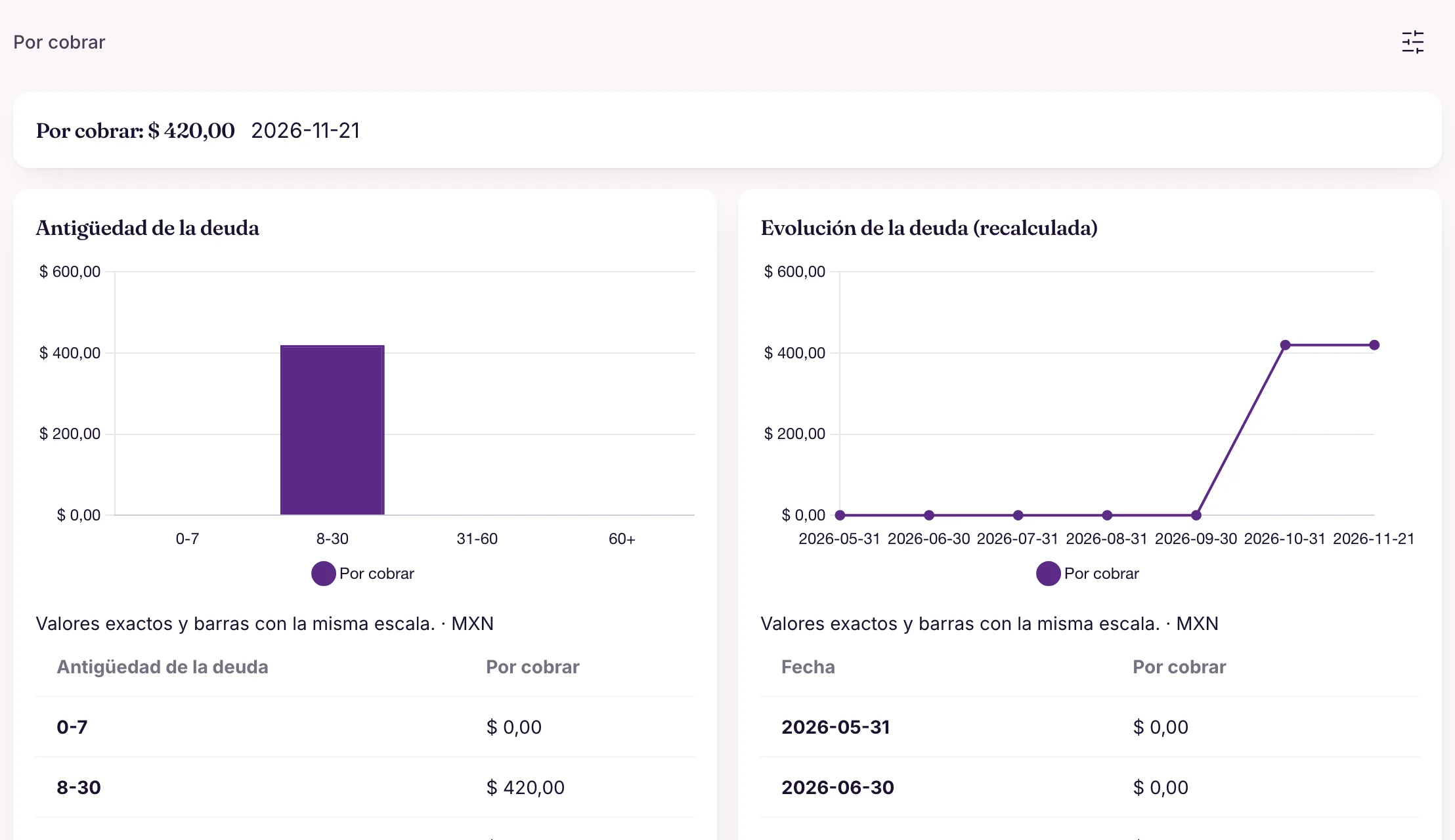
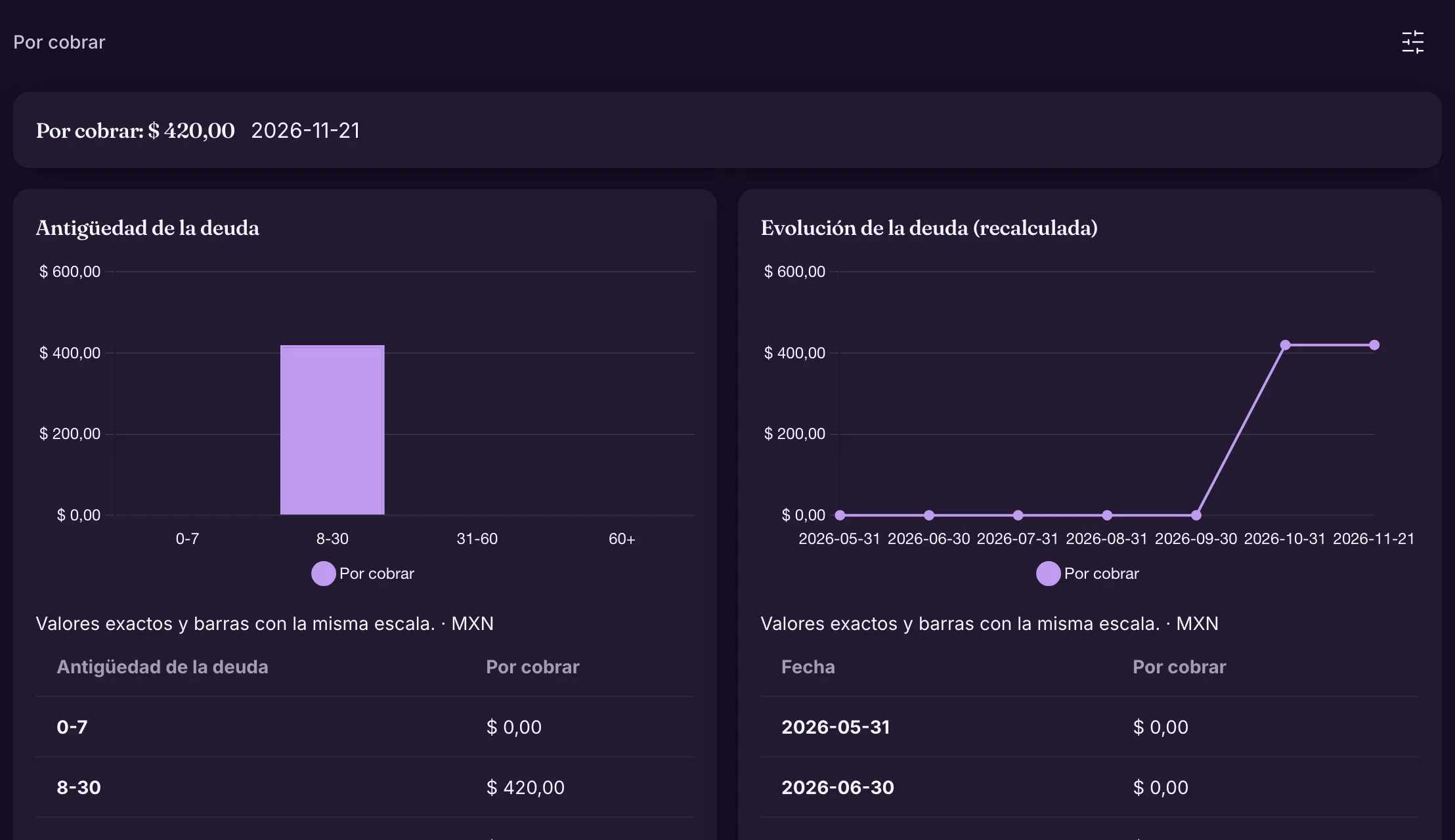
The total receivable, the age of the debt (0–7, 8–30, 31–60 and over 60 days) and how it evolves month by month. Right below, the tasks to collect: on each one you collect the full amount or just a part.

What was left for later does not get forgotten.

Example If the over-30-days bar starts growing, it is time to collect before it becomes a loss.

More in the docs →

Commissions, expenses and the accountant

What each person is owed, what went out and the package ready for your accountant.

Each person's commissions

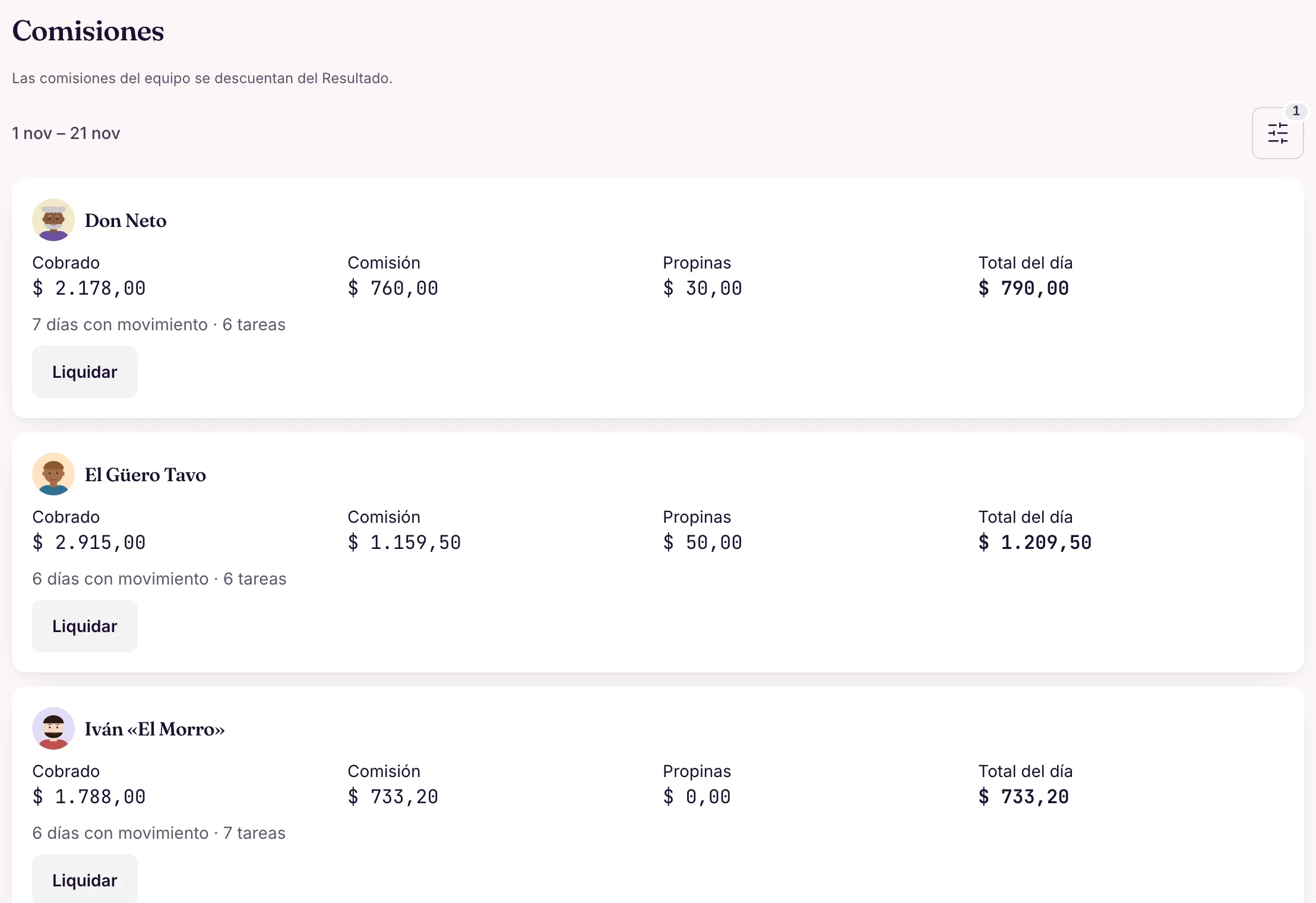
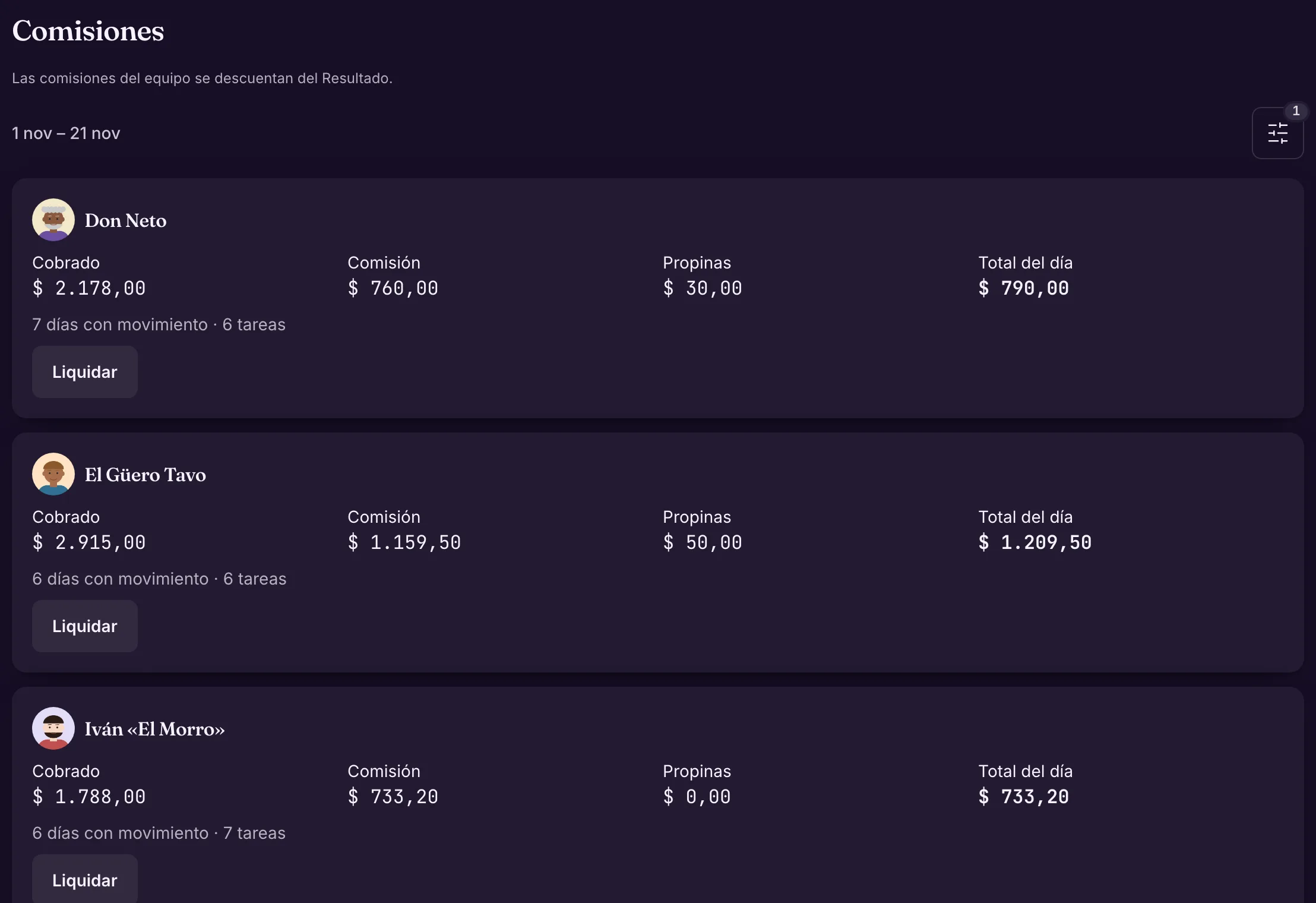
By day or by period: what each person collected, the commission under your rules (by person, service or product), tips and the total. "Settle" closes each person's period and stays in the history.

Nobody does the math by hand at month end, and everyone knows what they are owed.

Example At Barbearia do Tavo, each barber sees their own commission and Tavo settles the fortnight with one tap.

More in the docs →

Expenses in three taps

Amount, category, done. With a photo of the receipt, "Read the receipt" suggests the amount, date and supplier. Repeat it monthly with one tap, or record it by chatting with Wagy and from the team's Telegram. What the team records waits for your approval.

Expenses go in the day they happen, and the month's result stays accurate.

Example "Spent 50 on supplies" becomes an expense with a category and date for you to confirm once.

More in the docs →

Each person's cash box

How much cash each person collected, how much they have handed in and how much is missing, with the day's close. An alert can notify whoever is in charge when someone goes over the cash-in-hand limit.

Cash from the road or the counter closes every day, without a notebook.

Example At Rota Expressa, each rider hands in the delivery cash at the end of the day and the box closes with any difference recorded.

More in the docs →

The accountant package

The same figures for the period in Excel (summary, transactions, by category, resource and service, commissions and payments), as CSV or as a ZIP with the Excel, a one-page PDF summary and the receipt photos.

Closing the books with your accountant stops being a paper chase.

Example On the 1st, Clínica Bem Viver downloads October's package and sends it to the accountant as a single file.

More in the docs →