← All updates
Improvement

The map fills the whole screen

On mobile, the map reaches the bottom, the menu floats on top and the task groups sit at the top.
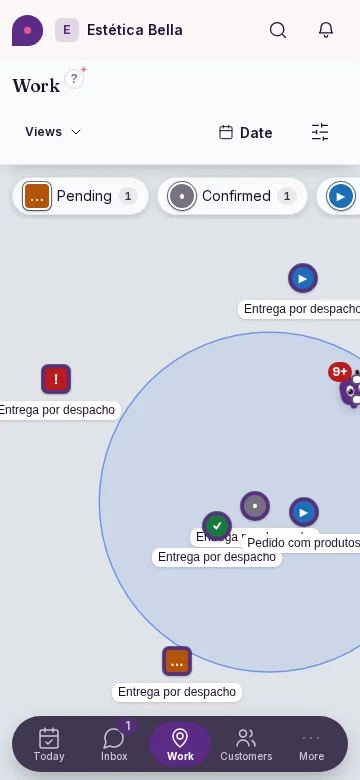
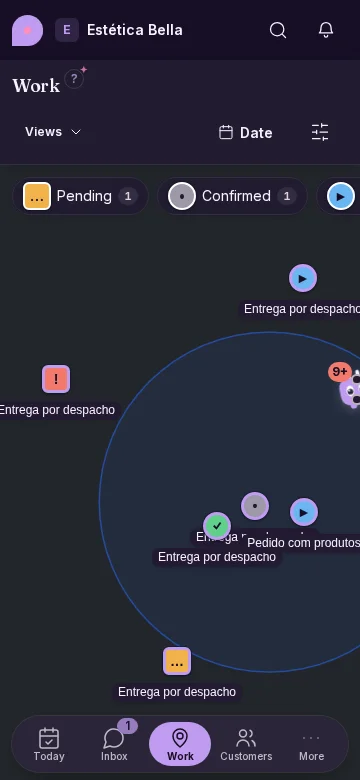
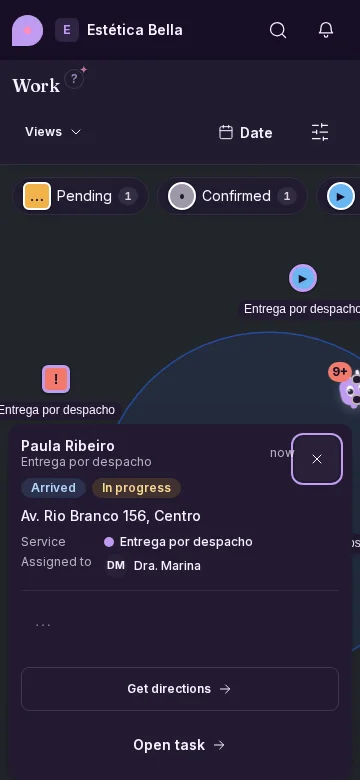
Work map full screen on mobile: the group legend floats at the top as chips and the bottom menu floats over the map (on mobile)Work map full screen on mobile: the group legend floats at the top as chips and the bottom menu floats over the map (on mobile)

More map, fewer bars

  • The map shows edge to edge, also behind the bottom menu.
  • The groups with their counts are at the top, always in view, and no longer take a strip at the bottom.
  • The card of a tapped pin is never covered by the top bar or the menu.
  • On desktop and iPad the map was already full-bleed: there only the groups' place changes.
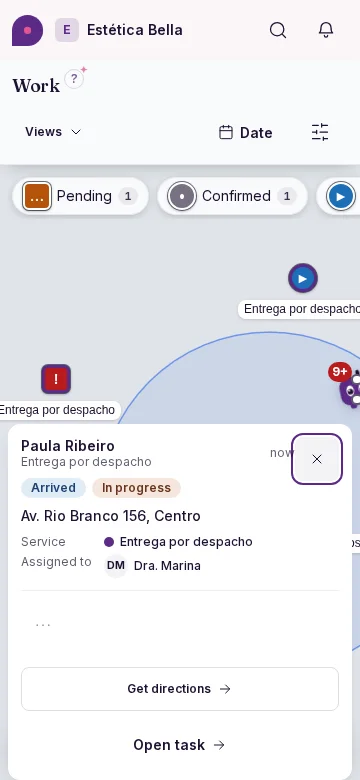
Work map on mobile with a pin tapped: the task card shows in full, not covered by the top bar or the menu (on mobile)Work map on mobile with a pin tapped: the task card shows in full, not covered by the top bar or the menu (on mobile)