← All updates
New

Items and quote, inside the stage you choose

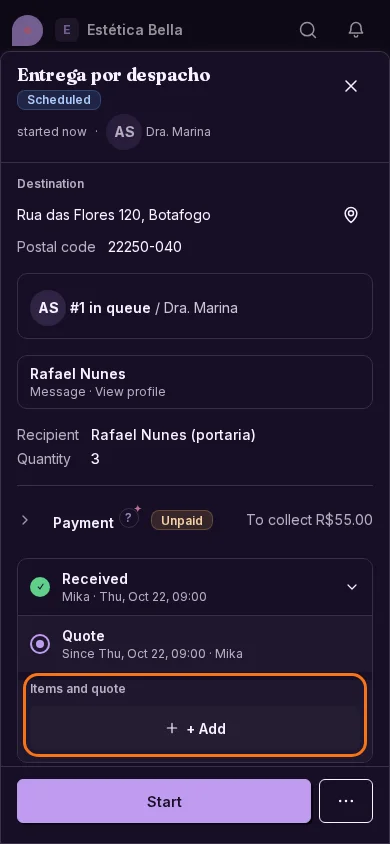
In the flow editor you can add the “Items / quote” component to a stage: the task's items panel shows inside that stage.
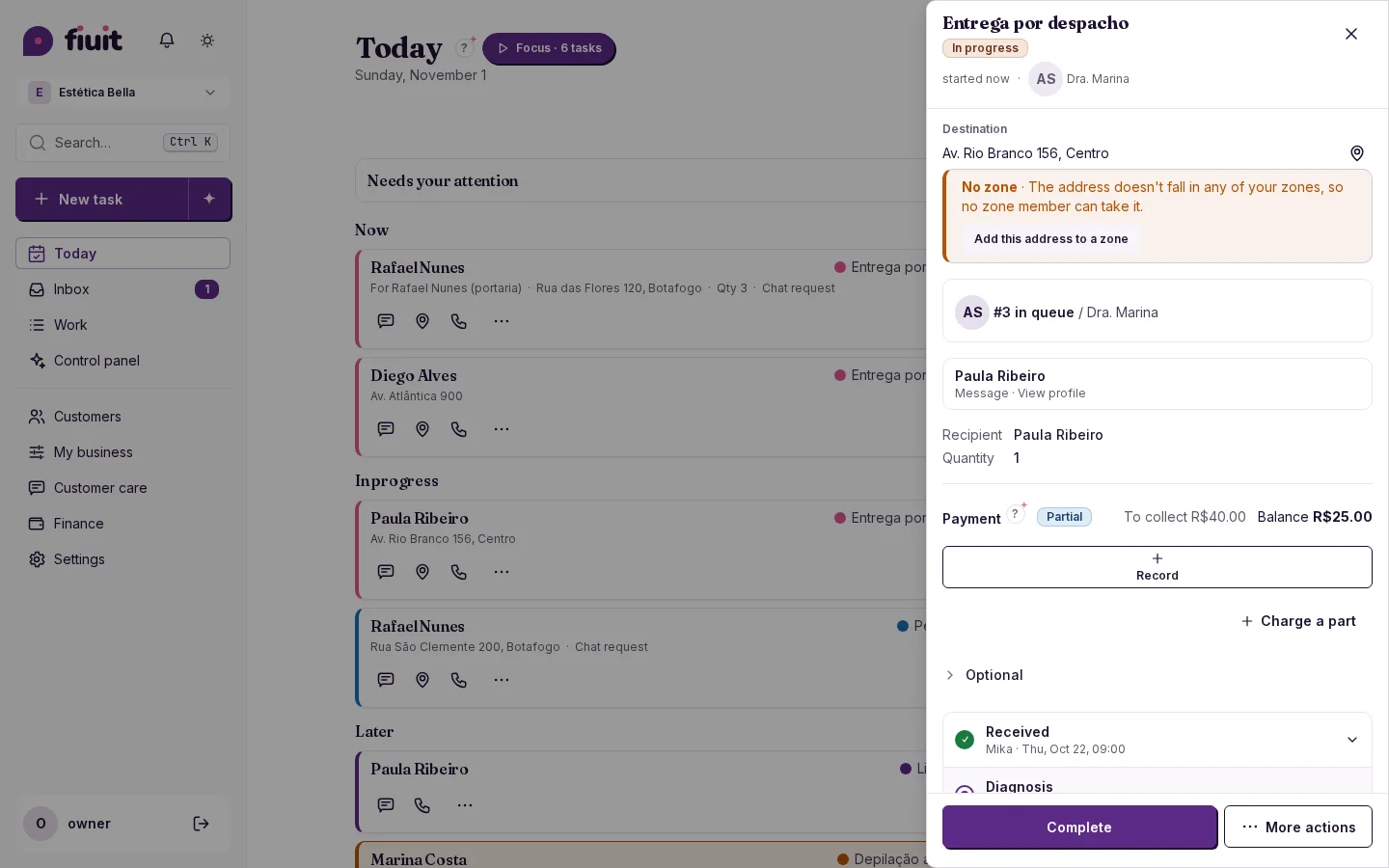
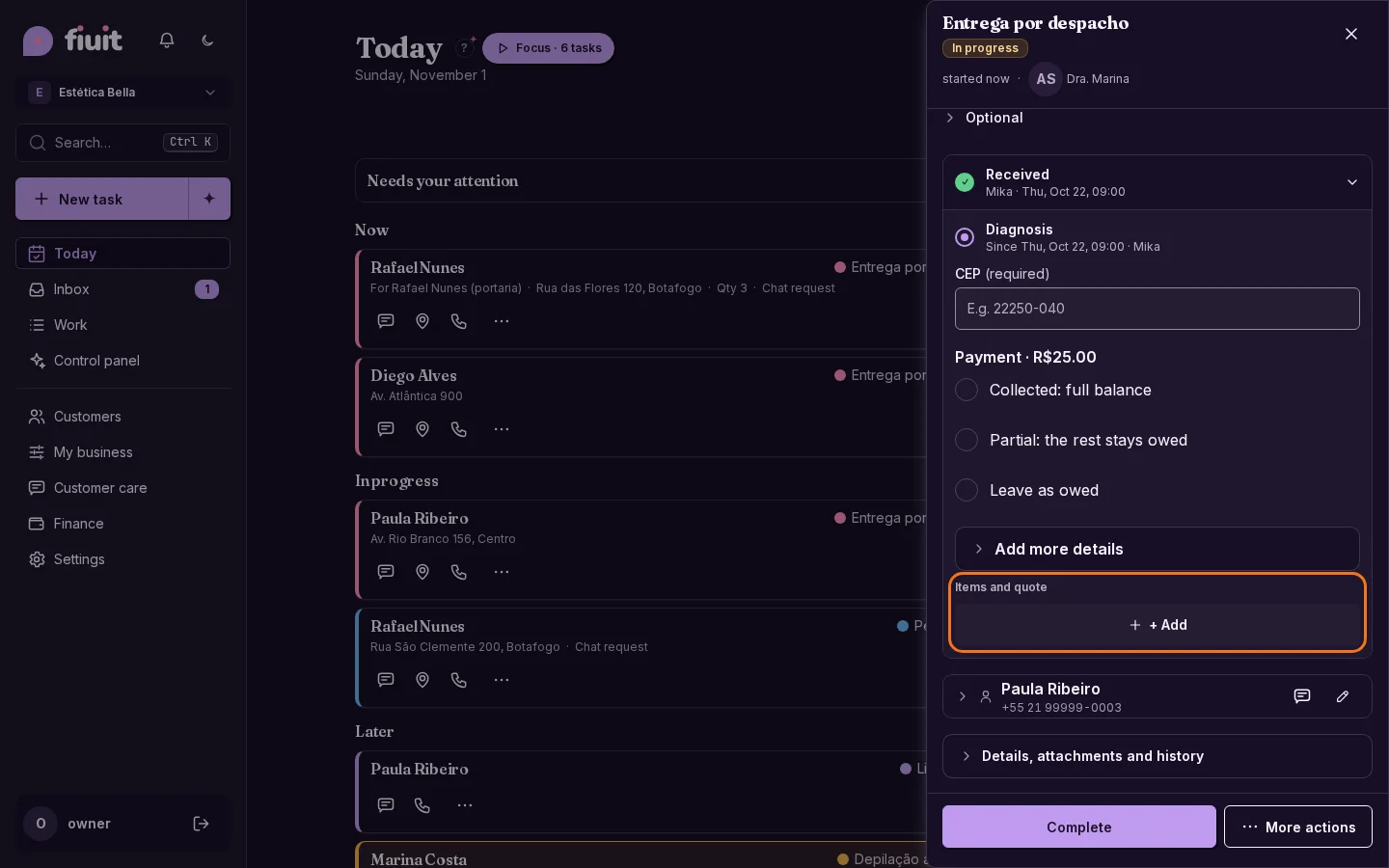
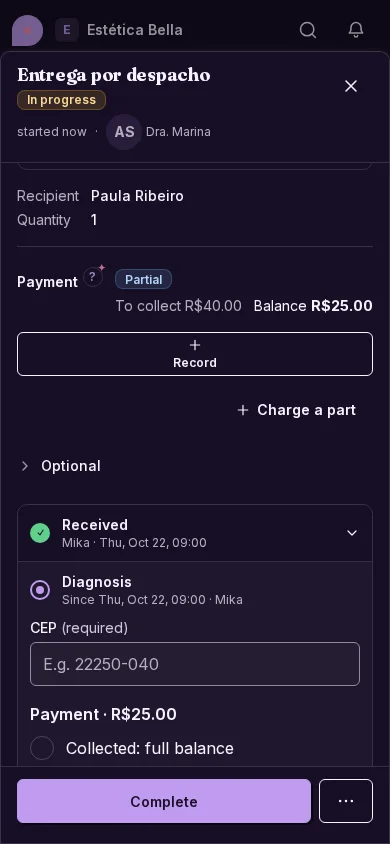
Workshop task on the Diagnosis stage, with the items panel inside the stageWorkshop task on the Diagnosis stage, with the items panel inside the stage
The items panel lives inside the stage that carries the component, not loose on the task.

Everything in its stage

  • Where it belongs: items and the quote show inside the stage that uses them, like a workshop's Diagnosis or Quote.
  • Only once: the panel isn't repeated loose on the task; if the flow adds it to several stages, it appears in the first.
  • No change to the money: it's the same panel as always, only where it shows changes.
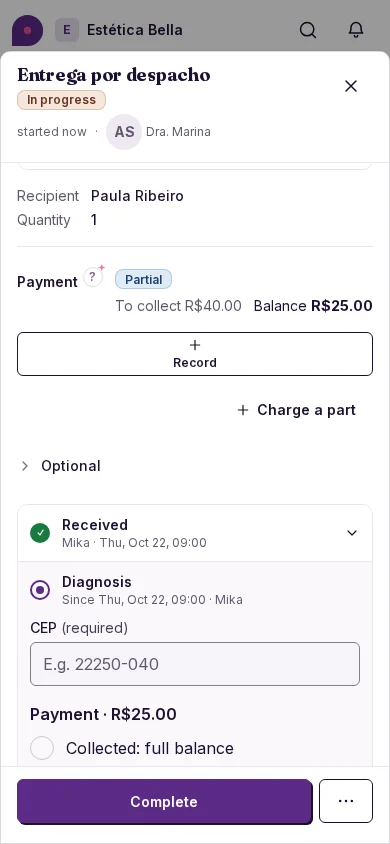
Workshop task on the Diagnosis stage, with the items panel inside the stage (on mobile)Workshop task on the Diagnosis stage, with the items panel inside the stage (on mobile)
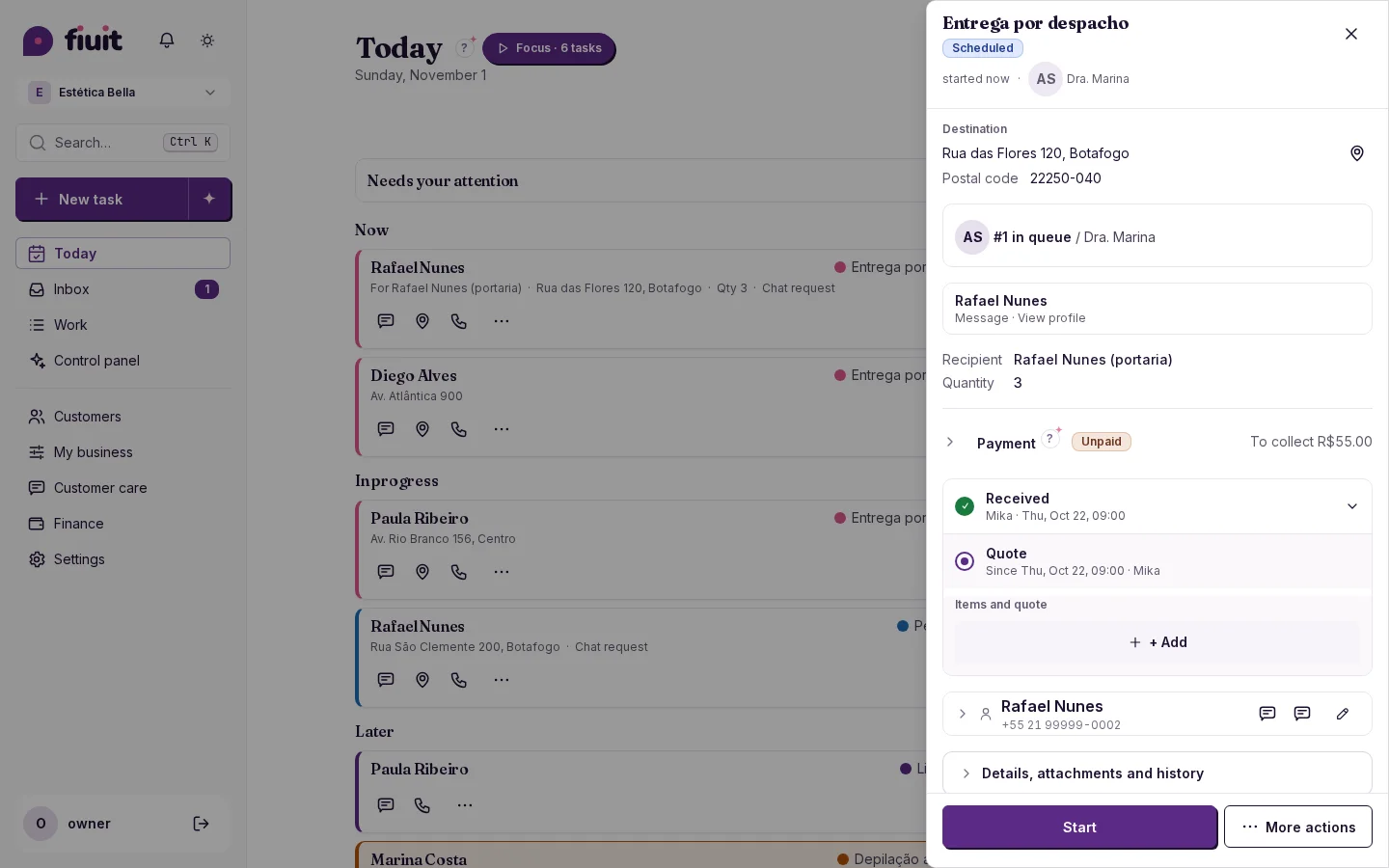
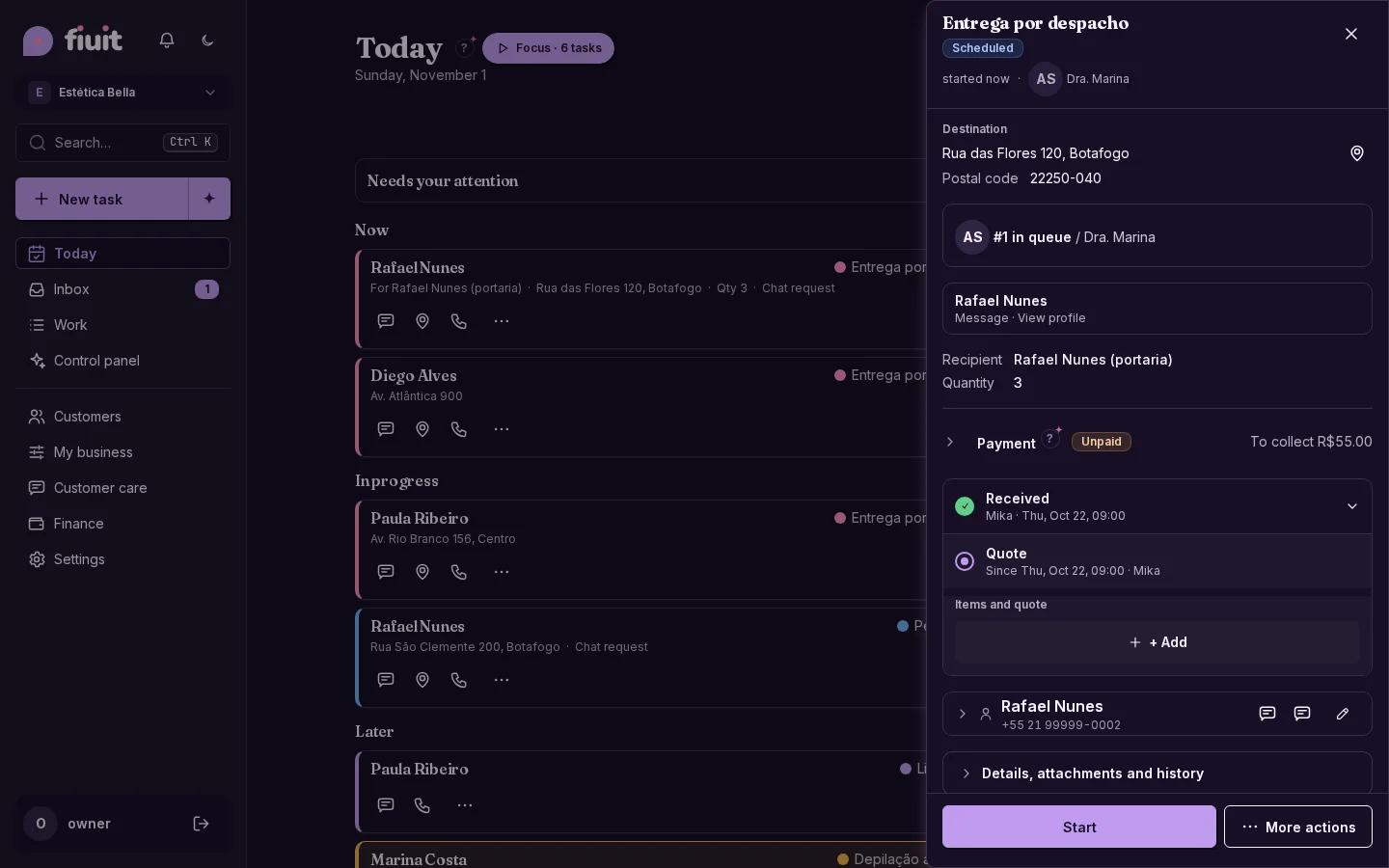
Workshop task on the Quote stage, with the items panel inside the stageWorkshop task on the Quote stage, with the items panel inside the stage
The items panel lives inside the stage that carries the component, not loose on the task.
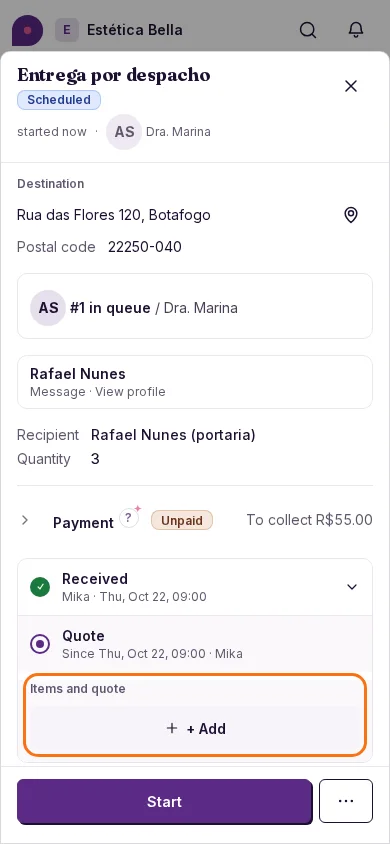
Workshop task on the Quote stage, with the items panel inside the stage (on mobile)Workshop task on the Quote stage, with the items panel inside the stage (on mobile)