← All updates
New

Organize your expenses with your own tags

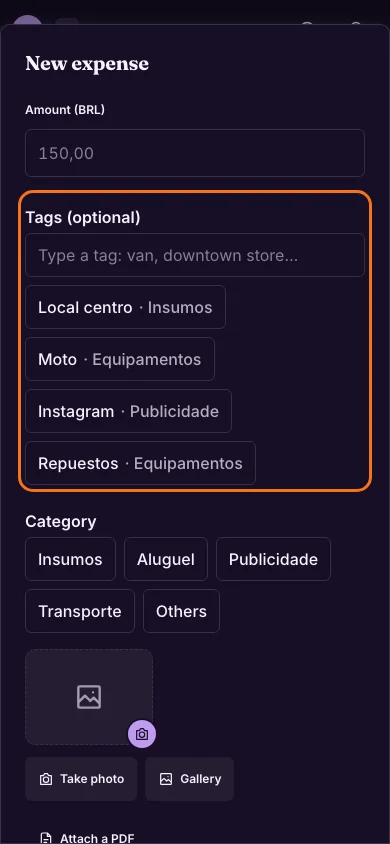
Give each expense the tags you want, like «van» or «downtown store», and see how much you spent on each thing. Your reports stay just as tidy.
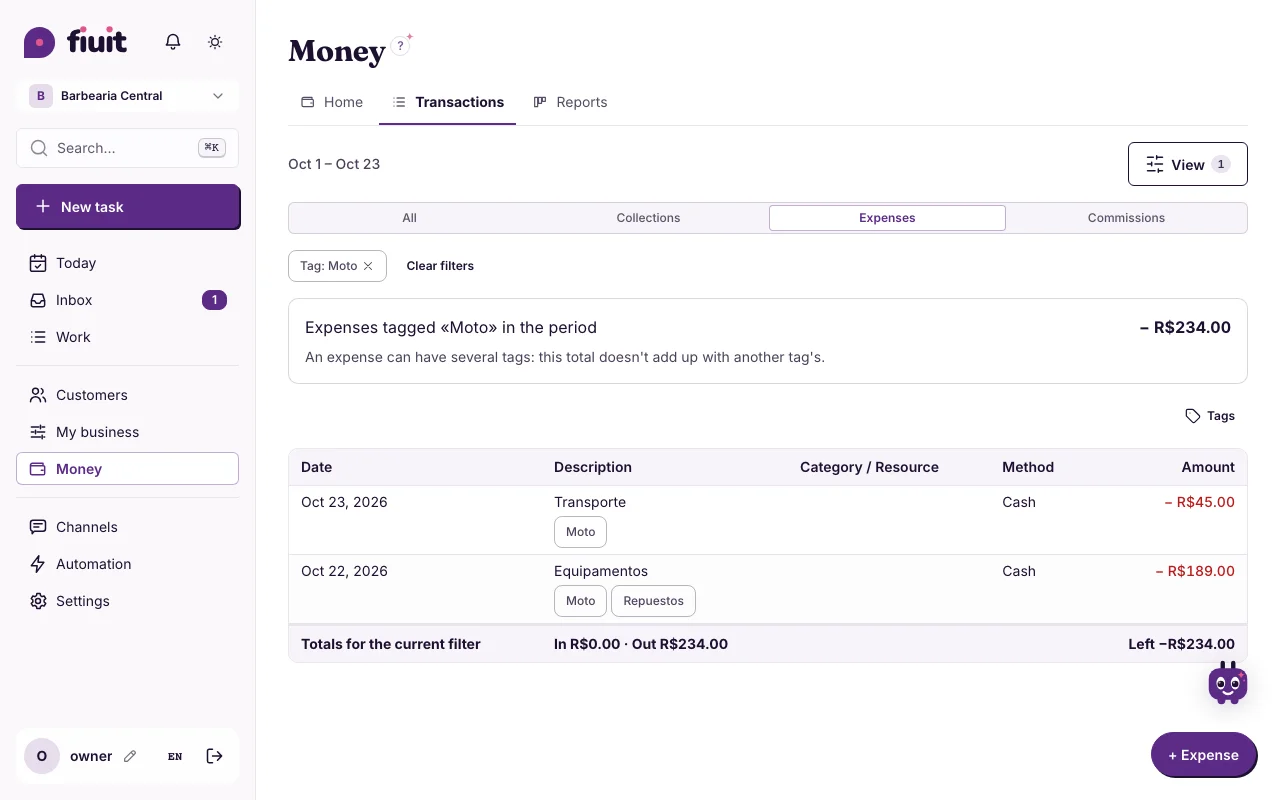
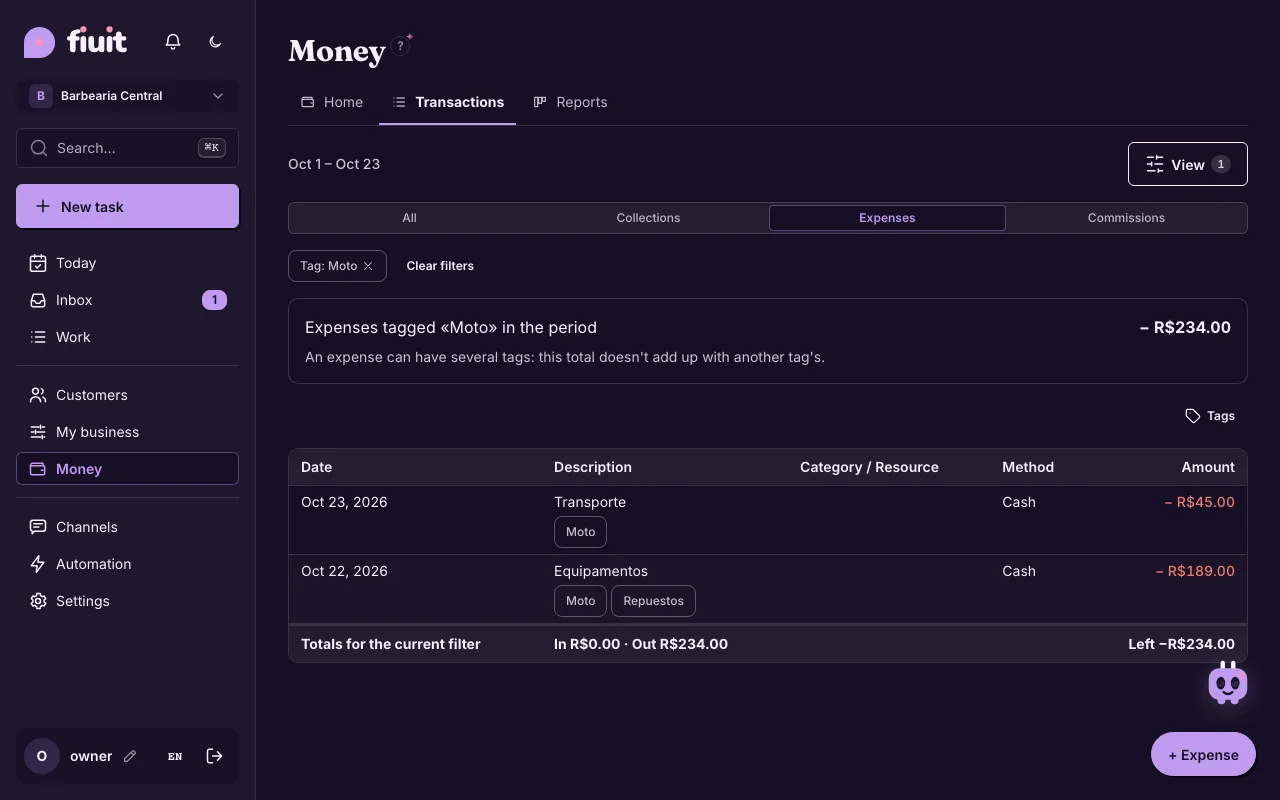
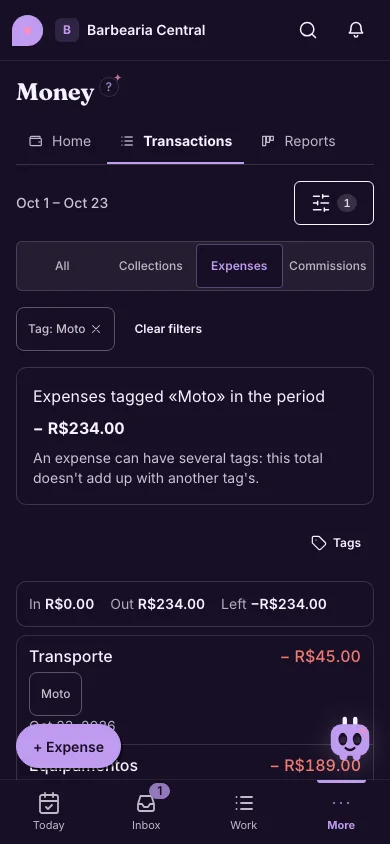
Finance → Transactions filtered by the Moto tag: the expenses with that tag and the “expenses tagged Moto” totalFinance → Transactions filtered by the Moto tag: the expenses with that tag and the “expenses tagged Moto” total
Tap a tag and see how much you spent on it in the period.

What you get

  • Your own way of organizing: tag expenses by vehicle, branch, project or whatever you need, with no extra screens.
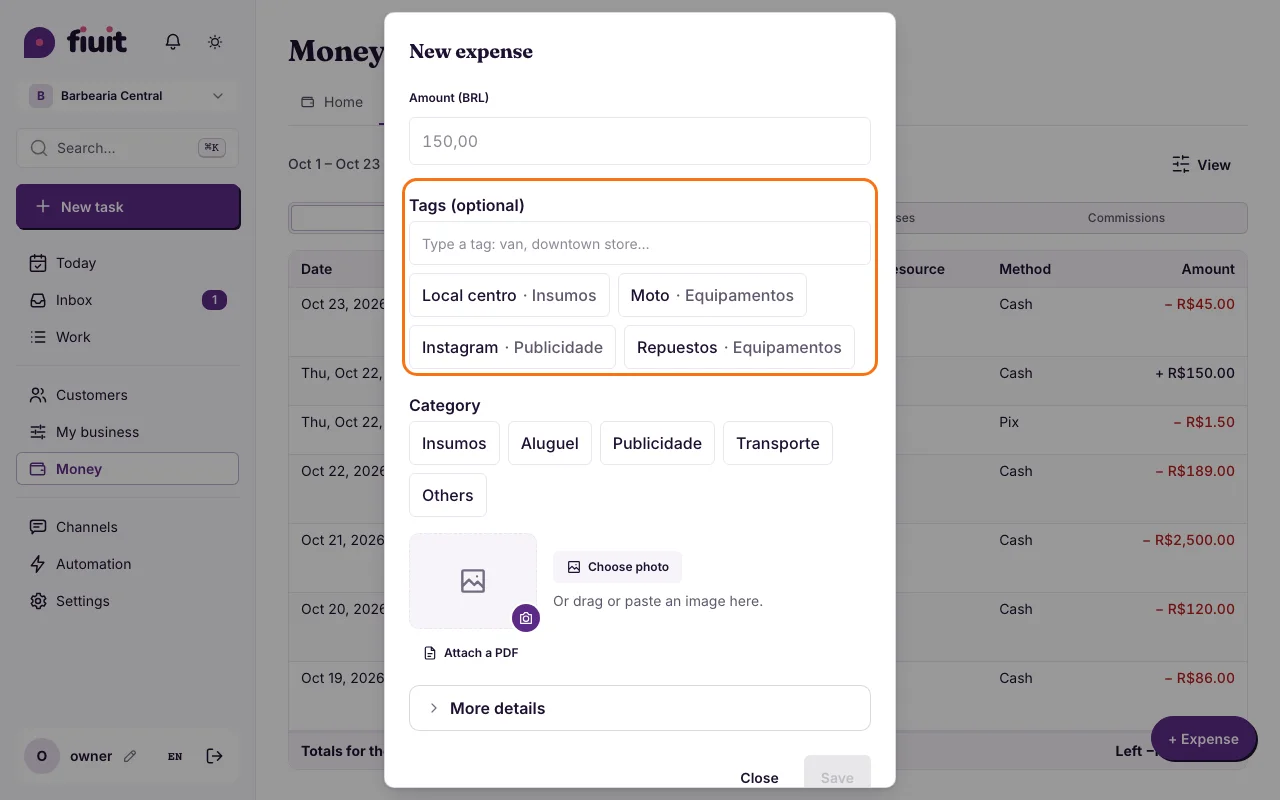
  • Fewer taps: each tag remembers its category and fills it in for you.
  • How much you spent on each thing: filter by a tag and see the total of those expenses in the period.
  • Reports that stay intact: the result and the cash flow keep using the same categories as always.
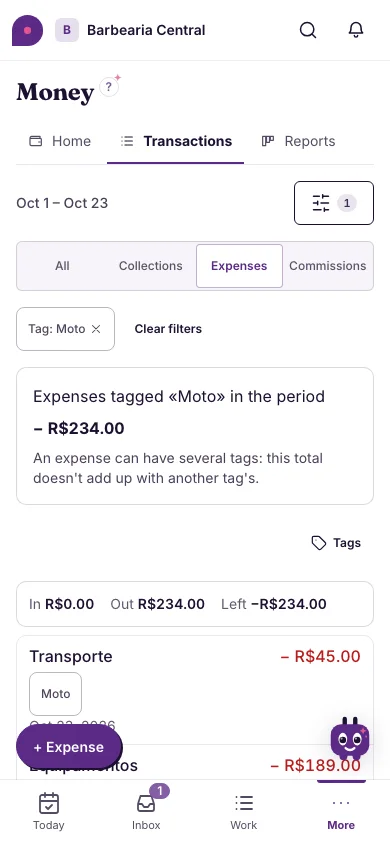
Finance → Transactions filtered by the Moto tag: the expenses with that tag and the “expenses tagged Moto” total (on mobile)Finance → Transactions filtered by the Moto tag: the expenses with that tag and the “expenses tagged Moto” total (on mobile)
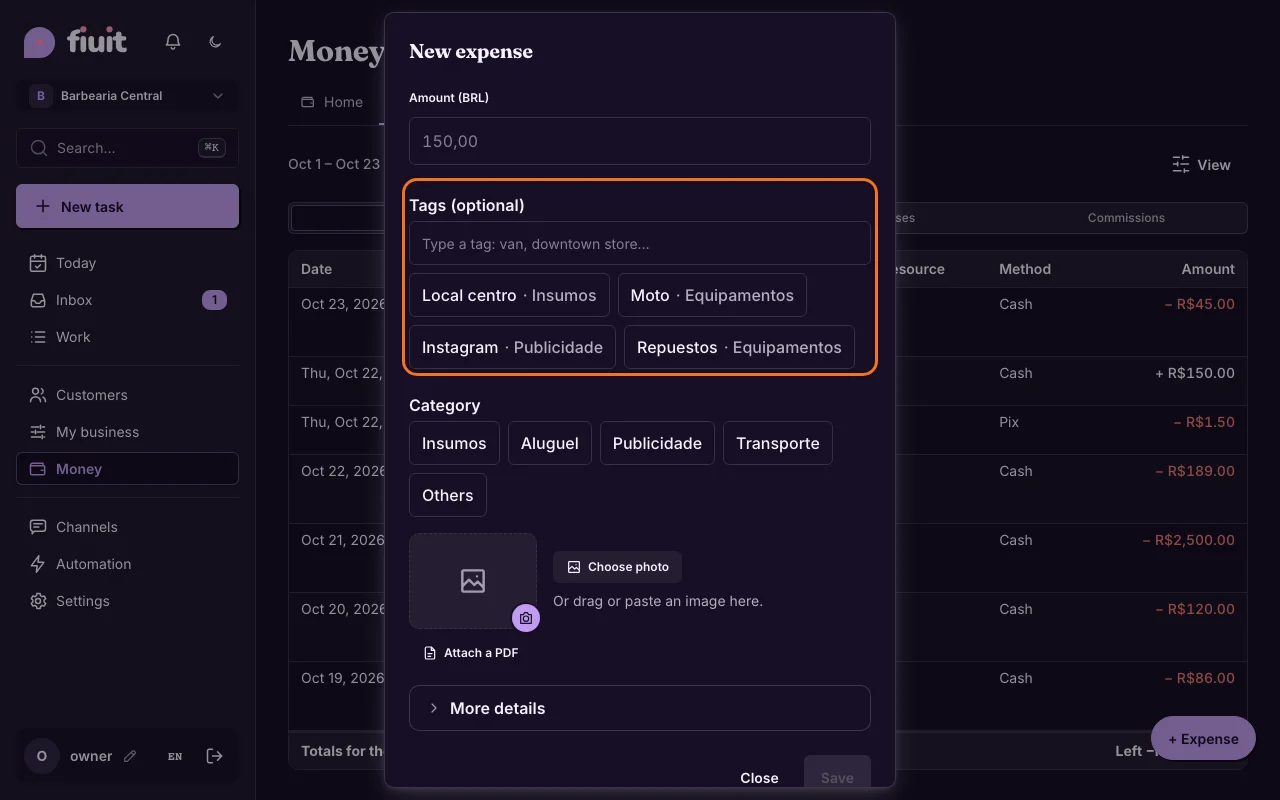
“+ Expense” with the Tags field: suggestions with the category each tag remembers“+ Expense” with the Tags field: suggestions with the category each tag remembers
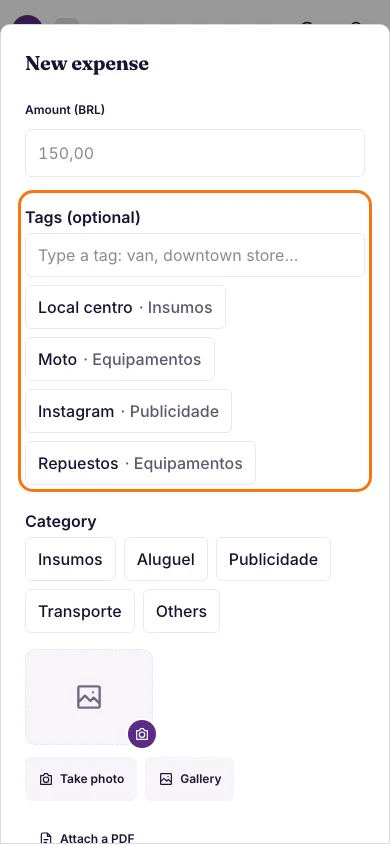
Each tag remembers its category and fills it in for you.
“+ Expense” with the Tags field: suggestions with the category each tag remembers (on mobile)“+ Expense” with the Tags field: suggestions with the category each tag remembers (on mobile)