← All updates
New

Track your expenses in three taps

Record each expense in seconds, with a photo of the receipt, and see everything that came in and went out of your business in one list.
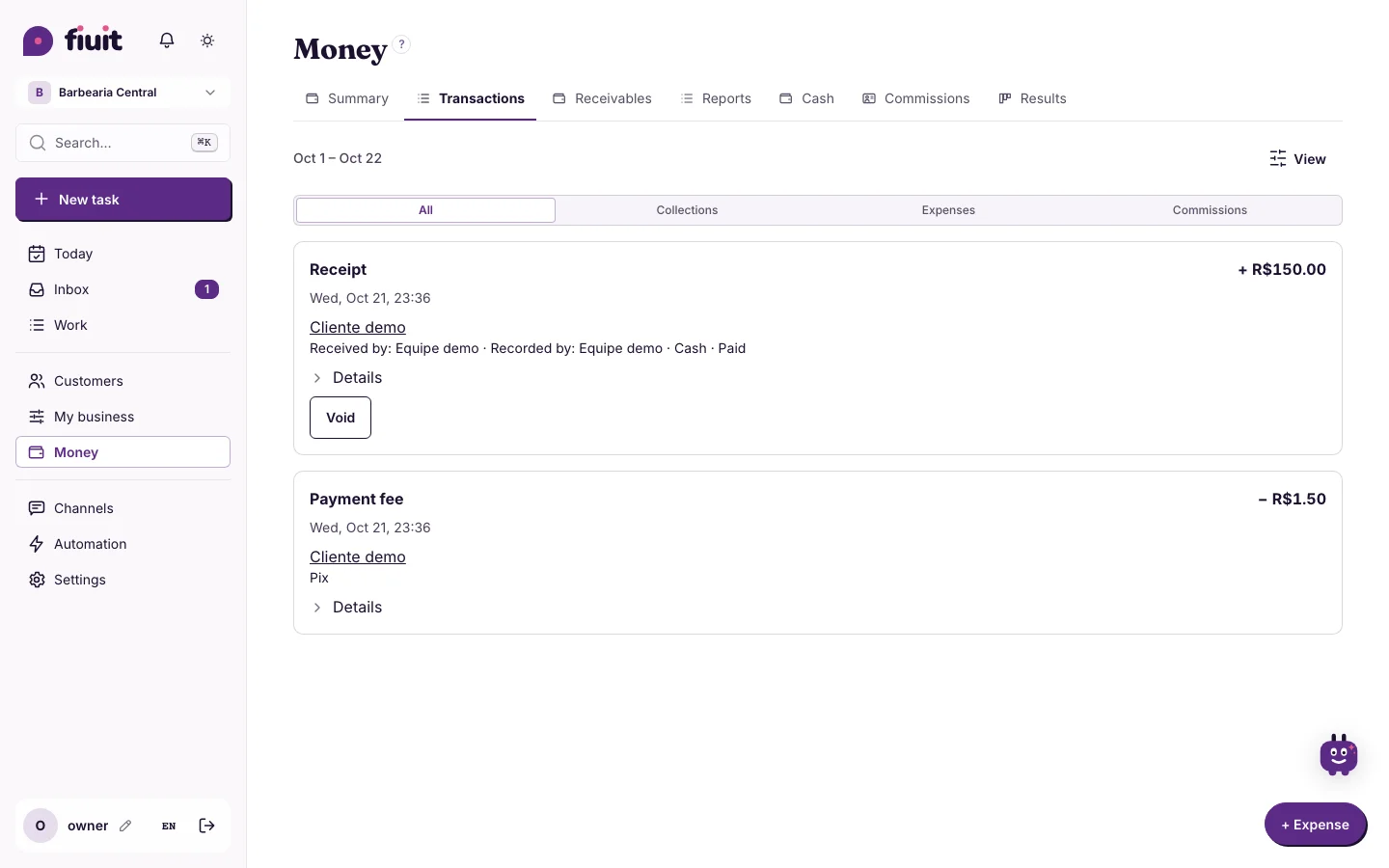
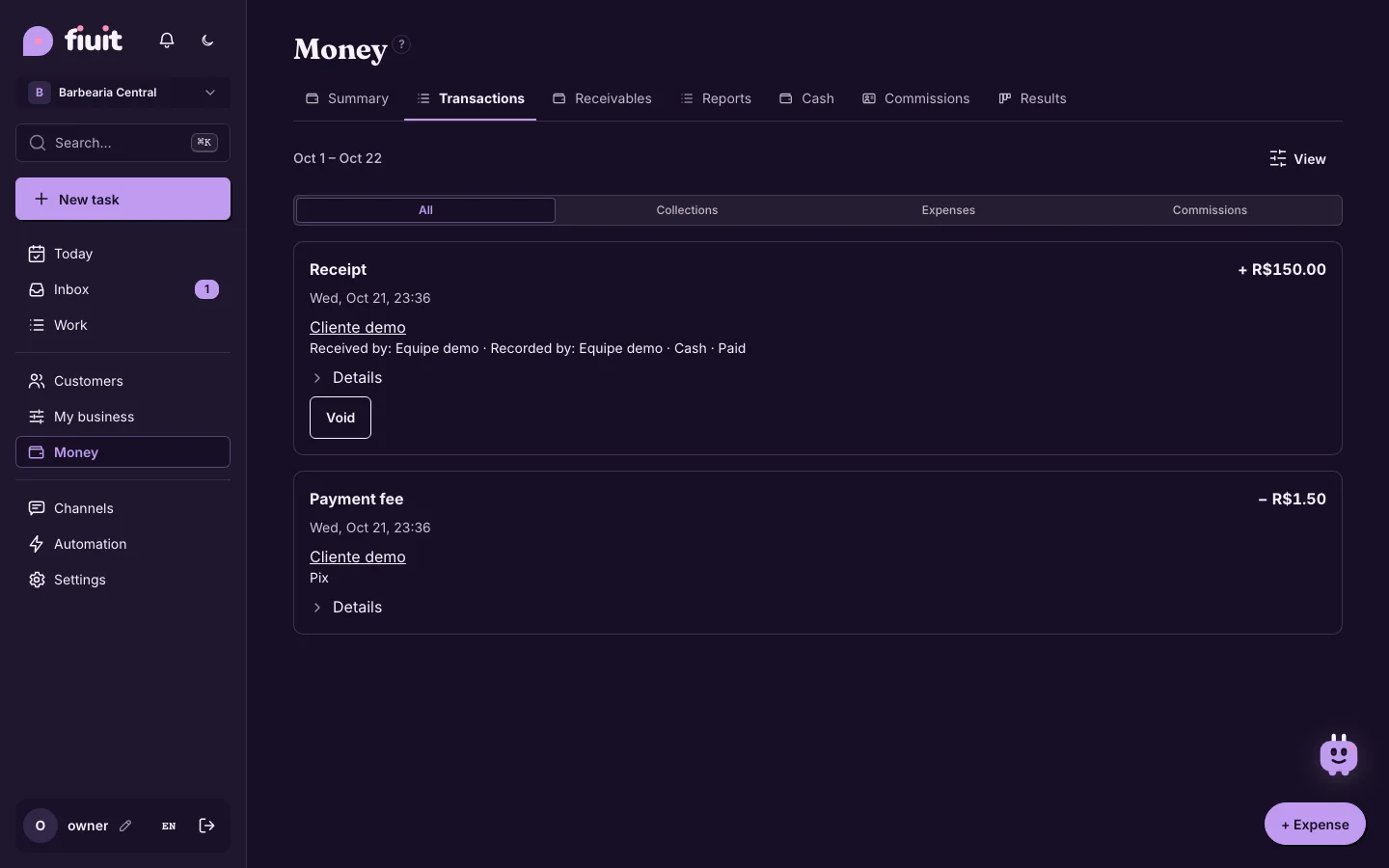
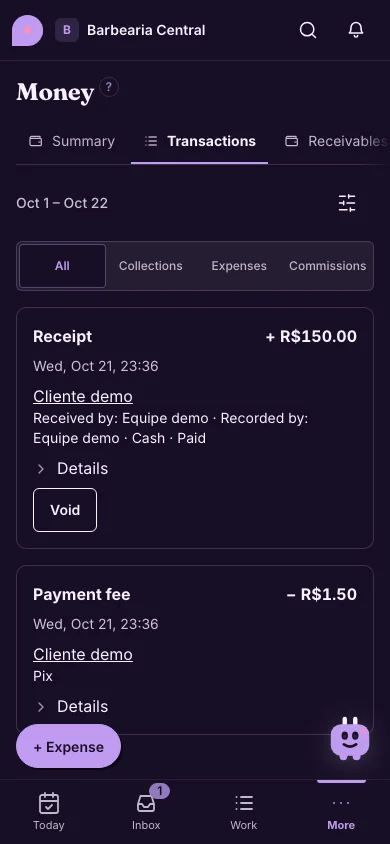
Finance → Transactions: money in and out with its sign, All, Collections, Expenses and Commissions filters, and the “+ Expense” buttonFinance → Transactions: money in and out with its sign, All, Collections, Expenses and Commissions filters, and the “+ Expense” button
Everything that came in and went out in one list; “+ Expense” is on every Money screen.

What you get

  • Expenses up to date with no effort: amount, category and done; the receipt photo is optional and the last category stays selected.
  • Everything in one list: what comes in and what goes out, with a sign, so you see where the money goes.
  • Your team helps without chaos: what your employees record waits for your approval before it counts.
  • No signal, nothing lost: what you type stays on your phone until the connection is back.
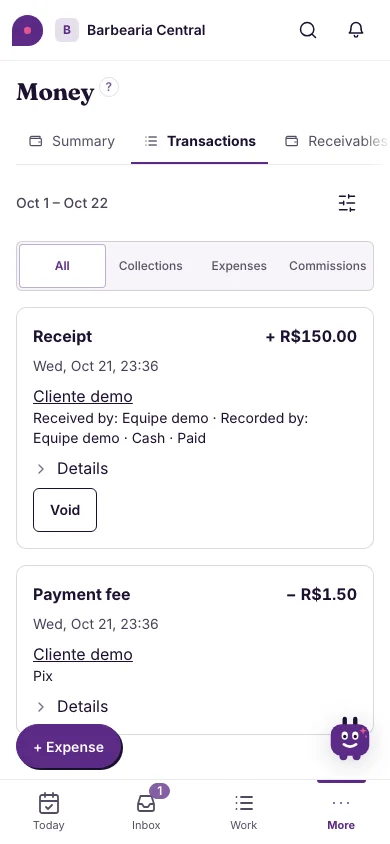
Finance → Transactions: money in and out with its sign, All, Collections, Expenses and Commissions filters, and the “+ Expense” button (on mobile)Finance → Transactions: money in and out with its sign, All, Collections, Expenses and Commissions filters, and the “+ Expense” button (on mobile)